

Description
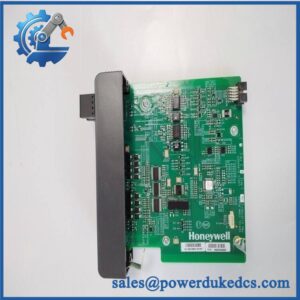
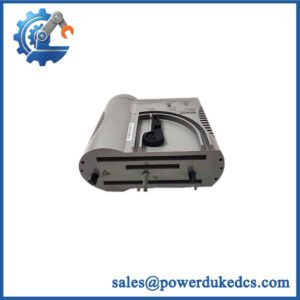
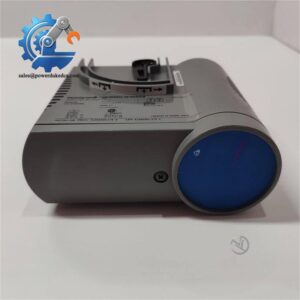
- Model: HONEYWELL ACX631
- Brand: Honeywell
- Series: Experion PKS / Control Hardware Platform
- Part Type: Advanced Control Extension Module
- Core Function: Expands controller capability by providing additional processing, communication, or system interface functions within Honeywell automation architectures.
- Key Specs: Honeywell Experion PKS compatible hardware, industrial-grade controller expansion design, cabinet-mounted installation, engineered for continuous process automation environments.
- Typical Use: Process control systems, refinery automation, chemical plants, power generation facilities, and industrial production lines.
Product Introduction
A control system expansion project can become complicated when existing cabinets require additional functionality without replacing the installed DCS platform. The HONEYWELL ACX631 is an automation hardware module designed to extend Honeywell control system capabilities within Experion PKS environments.
Installed as part of the Honeywell control architecture, the ACX631 supports system expansion and integration requirements while maintaining compatibility with existing process automation infrastructure. In field deployments (especially in long-life process plants), extension modules such as this help engineers maintain proven control strategies while upgrading selected system functions.
Core Technical Specifications
| Parameter | Value |
|---|---|
| Manufacturer | Honeywell |
| Model | ACX631 |
| Product Type | Advanced Control Extension Module |
| System Platform | Honeywell Experion PKS |
| Application Category | Process Automation Hardware |
| Installation Type | Control Cabinet / System Rack |
| Function | Controller Extension and System Interface |
| Communication | Honeywell Control Network Interface |
| Configuration | Engineering Software Based |
| Mounting | Industrial Control Rack |
| Operating Environment | Industrial Process Conditions |
| Typical Industries | Oil & Gas, Chemical, Power, Manufacturing |
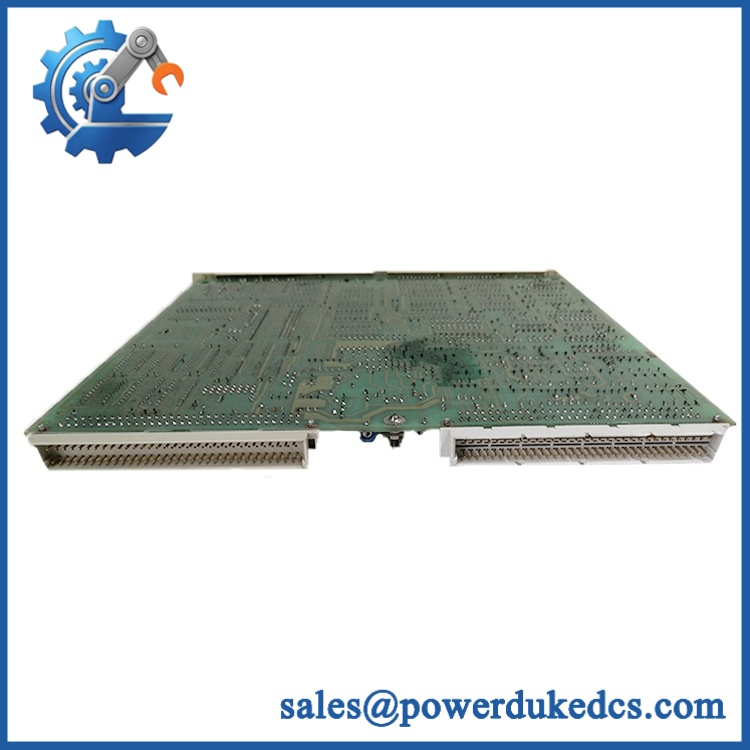
- HONEYWELL ACX631
Application Scenarios & Pain Points
During DCS modernization programs, engineers may use ACX631 hardware when additional control system capacity is needed without replacing the complete automation platform.
In refinery operations, Honeywell control hardware extensions support existing Experion PKS installations where continuous operation is required.
For chemical processing facilities, maintaining compatible spare modules helps reduce downtime during controller maintenance activities.
With a properly functioning installed, system expansion and communication functions remain available. Without it, affected control functions may generate diagnostic alarms or lose expected system integration.
In control rooms operating equipment near 50°C ambient temperatures, technicians should inspect cabinet cooling, power quality, and rack connections before replacing extension hardware.
? Common Error Codes & Diagnostic Symptoms
Symptom/Code: Module Not Recognized / Communication Failure
→ Diagnosis: Rack communication problems, incorrect configuration, or internal hardware failure may prevent controller recognition.
→ Action: Verify rack connection and configuration settings, then replace the if module failure is confirmed.
Symptom/Code: System Diagnostic Alarm / Extension Module Fault
→ Diagnosis: Internal electronics, power supply issues, or communication interface problems may trigger system-level diagnostics.
→ Action: Check power and network conditions, then replace the module.
Symptom/Code: Intermittent Controller Expansion Function Loss
→ Diagnosis: Aging connectors, unstable communication paths, or hardware degradation may interrupt operation.
→ Action: Inspect connections and replace the when required.
Cross-Reference & Lifecycle Migration
- Original Model: HONEYWELL
- System Compatibility: Honeywell Experion PKS control environments.
- Replacement Considerations:
- Confirm the exact hardware revision.
- Verify controller architecture compatibility.
- Check cabinet drawings and installed system configuration.
- Confirm engineering database compatibility before commissioning.
- Firmware Requirement: Firmware and configuration compatibility should be verified against the existing Honeywell system release before installation.
- Lifecycle Status: Legacy / Maintenance Supported
- modules are typically maintained as spare hardware for installed Honeywell systems.
- Plants operating mature DCS platforms often keep tested replacement units to reduce recovery time after failures.
Field Engineer’s Tech Notes (Anti-Pitfall Guide)
- Do not replace an extension module before checking the system configuration database.
A hardware replacement without matching configuration data may appear faulty even when the module is operational. - Inspect rack contacts carefully during replacement.
Oxidized connectors or poor seating can create symptoms identical to a failed electronic module.
Strict QA & Testing SOP
A professional inspection process for the includes:
- Inbound Verification
- Confirm Honeywell part number and label information.
- Record serial number and hardware revision.
- Physical Inspection
- Check enclosure, connectors, mounting points, and PCB condition.
- Inspect for corrosion, dust contamination, or impact damage.
- Power-Up Testing
- Install the module in a compatible Honeywell test environment.
- Verify startup sequence and diagnostic indicators.
- Communication Testing
- Confirm system recognition.
- Verify communication with associated Honeywell hardware.
- Configuration Verification
- Check module parameters and system compatibility.
- Confirm correct installation within the control architecture.
- Final Packaging
- Use anti-static protection.
- Secure connectors against mechanical damage during shipment.
Test videos and inspection records are available for qualified purchasing requests.
Buyer’s FAQ
Q1: What is the HONEYWELL used for?
A: It is a Honeywell automation hardware module designed for expansion and integration functions within compatible process control architectures.
Q2: Is the a standalone PLC controller?
A: No. It is a system hardware component intended to operate as part of a Honeywell control platform.
Q3: Can I replace an existing directly?
A: Replacement depends on the installed system configuration, hardware revision, firmware compatibility, and engineering database settings.
Q4: Why keep an spare?
A: For plants operating long-service Honeywell control systems, a tested spare module can reduce downtime during unexpected hardware failures.




 Start Chat


