

Description
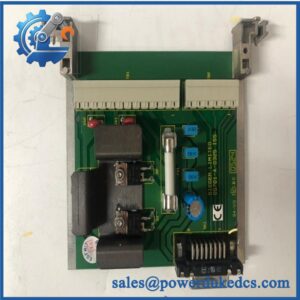
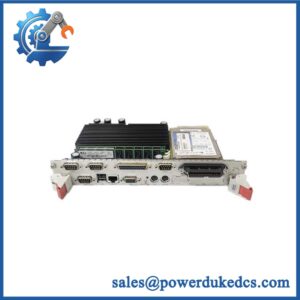
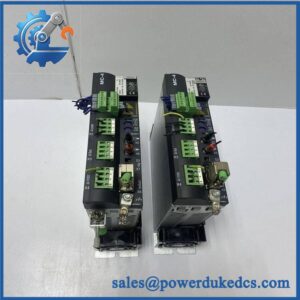
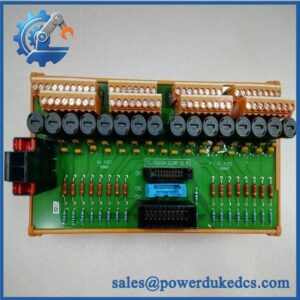
- Model: FC-SDI-1624
- Brand: HONEYWELL
- Series: Safety Manager / Safety Manager SC
- Part Type: Safe Digital Input Module
- Core Function: Acquires and monitors 24 VDC safety-related field signals from switches, sensors, and interlock devices within Honeywell Safety Instrumented Systems.
- Key Specs:
- 16-channel safe digital input module.
- 24 VDC discrete signal processing.
- Conformal-coated version for improved environmental protection.
- Supports safety applications including ESD and process interlock systems.
- Designed for Honeywell Safety Manager I/O chassis installation.
- Part of TÜV-certified Safety Manager hardware family.
Product Introduction
Structure C — Data-Driven
16 safety input channels, 24 VDC field signal handling, and SIL-oriented diagnostics define the Honeywell FC-SDI-1624 as a dedicated Safety Manager input interface. The module monitors discrete field devices and transfers validated input states into the safety controller for execution of shutdown and protection logic.
In field deployments, this module is installed in emergency shutdown panels, burner protection systems, and critical process interlock cabinets (—where a missed input transition can create significant operational risk). The FC-SDI-1624 includes conformal coating, identified by the FC prefix, making it suitable for installations requiring additional PCB protection against environmental contamination.
Core Technical Specifications
| Parameter | Value |
|---|---|
| Manufacturer | Honeywell |
| Model | FC-SDI-1624 |
| Product Type | Safe Digital Input Module |
| System Family | Honeywell Safety Manager |
| Input Channels | 16 channels |
| Input Signal Type | 24 VDC digital input |
| Input Voltage Range | Up to 36 VDC |
| Nominal Input Voltage | 24 VDC |
| Input Current | Approx. 7 mA at 24 VDC |
| Logic High Threshold | >15 VDC |
| Logic Low Threshold | <9 VDC |
| Input Delay | Approx. 10 ms |
| Isolation | Safety-oriented channel monitoring |
| Power Requirement | 5 VDC internal / 24 VDC supply |
| Internal Current Consumption | Approx. 110 mA at 24 VDC |
| Output Function | 24 VDC solid-state diagnostic output |
| Maximum Output Current | Approx. 450 mA |
| Mounting | Safety Manager chassis |
| Module Coding | A5 / C5 key coding |
| Coating Type | Conformal coated |
| Operating Temperature | -40°C to +70°C |
| Certifications | CE, TÜV, UL, CSA, FM (system dependent) |
| Approximate Weight | 0.5 kg |
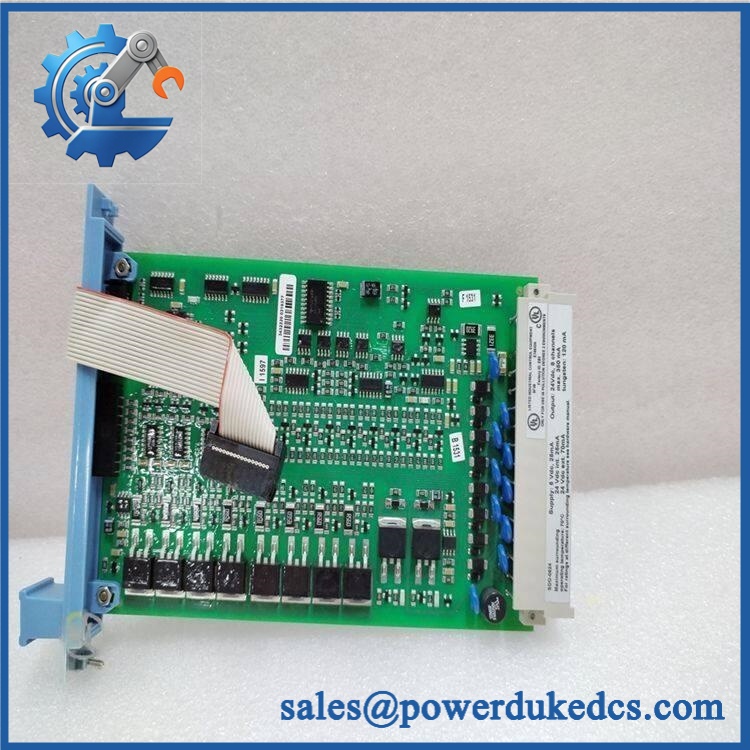
HONEYWELL FC-SDI-1624
Application Scenarios & Pain Points
Bold technical conclusion:
Safety digital input modules are evaluated by their diagnostic behavior, not only by whether an input turns ON or OFF. A failure in signal acquisition can affect shutdown logic, alarms, and protective sequences.
- Oil & Gas ESD Systems: Receives signals from emergency stop stations, pressure switches, and process trip devices.
- Chemical Processing Plants: Monitors safety interlocks where incorrect input states may affect hazardous process conditions.
- Power Generation Facilities: Interfaces turbine protection and auxiliary shutdown signals.
- Refinery Burner Management: Collects flame safeguard and equipment protection inputs.
- Offshore Platforms: Supports safety monitoring in vibration-prone and environmentally demanding cabinets.
For cabinets operating above 50°C internal temperature, inspect power loading, ventilation paths, and terminal conditions. Thermal stress may increase intermittent input faults before a complete module failure occurs.
Common Error Codes & Diagnostic Symptoms
Symptom/Code: Multiple Digital Inputs Showing Fault State
→ Diagnosis: Possible module power issue, field supply loss, terminal wiring problem, or internal input circuit failure.
→ Action: Verify field voltage and wiring continuity, then replace the FC-SDI-1624 if diagnostics confirm module failure.
Symptom/Code: Safety Input Channel Stuck ON/OFF
→ Diagnosis: Failed input channel electronics, damaged field device, or incorrect signal voltage level.
→ Action: Check the field switch and voltage level before replacing the module.
Symptom/Code: Safety Manager I/O Diagnostic Alarm
→ Diagnosis: Internal self-test failure, chassis communication issue, or incompatible hardware revision.
→ Action: Confirm configuration compatibility and replace the module if hardware diagnostics fail.
Cross-Reference & Lifecycle Migration
- Related Models:
- — Safe Digital Input Module, non-conformal coated version.
- — Conformal-coated version.
- Compatible Honeywell Safety Manager I/O architecture.
- Replacement Considerations:
- Verify FC versus FS coating version.
- Confirm hardware revision.
- Check Safety Manager configuration database.
- Match chassis key coding before installation.
- Firmware Requirement:
Module firmware compatibility must match the Safety Manager system release. The input module is not configured as a standalone controller. - Lifecycle Status: Legacy / Installed Base Support
For spare inventory planning, keep a documented record of module revision, Safety Manager release version, and installed slot location. Safety modules should not be replaced without configuration verification.
Field Engineer’s Tech Notes (Anti-Pitfall Guide)
- Do not blame the input module before checking field devices.
A failed emergency stop contact, broken cable, or incorrect 24 VDC supply can generate identical symptoms. - Match the conformal coating version carefully.
The FC- and FS- are related but are not interchangeable in every environmental application.
Strict QA & Testing SOP
A professional inspection process for HONEYWELL FC- should include:
Step 1 — Incoming Inspection
- Verify model marking: FC-.
- Confirm conformal coating condition.
- Inspect connector pins and enclosure.
- Record hardware revision.
Step 2 — Electrical Verification
- Apply controlled 24 VDC input signals.
- Verify all 16 input channels.
- Measure current consumption.
- Check diagnostic behavior.
Step 3 — Functional Testing
- Install in a compatible Honeywell Safety Manager rack.
- Simulate field switch inputs.
- Verify input transitions.
- Confirm system diagnostics.
Step 4 — Safety Configuration Review
- Confirm module recognition.
- Verify slot assignment.
- Check Safety Manager engineering database compatibility.
Step 5 — Packaging Control
- Use anti-static ESD protection.
- Protect chassis connectors.
- Store with inspection documentation.
Functional test records, diagnostic screenshots, and inspection photographs are available for quality verification.
Buyer’s FAQ (Dynamic Q&A)
Q1. Can the Honeywell FC- be hot-swapped?
A: Replacement procedures depend on the Safety Manager system design and site maintenance rules. Follow approved safety procedures before removing a safety I/O module.
Q2. “How do I verify this is a genuine FC-?”
A: Check the Honeywell identification label, FC prefix, hardware revision, module coding, connector condition, and supplier test documentation.
Q3. Does the FC- include the latest firmware?
A: Firmware compatibility depends on the Safety Manager release and module revision. Confirm the installed system version before commissioning.
Q4. What warranty documentation should be requested?
A: Request serial traceability, inspection records, functional test results, and written warranty terms. Safety system I/O modules should have documented verification before installation.



 Start Chat


