

Description
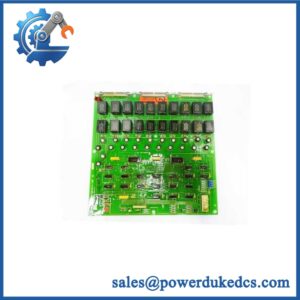
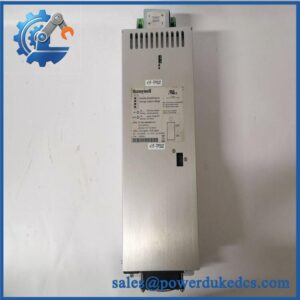
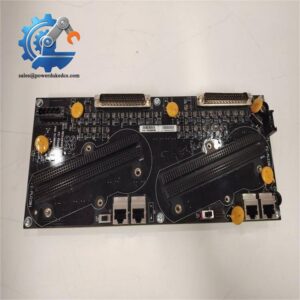
- HONEYWELL DC-TCNT01 | Original Honeywell Automation Hardware
2. At-A-Glance Executive Brief
- Model: HONEYWELL DC-TCNT01
- Brand: Honeywell
- Series: Experion PKS / C200 ControlNet Communication Hardware
- Part Type: ControlNet Interface Module
- Core Function: Provides ControlNet network communication between Honeywell controller systems and distributed I/O or network devices.
- Primary Use: Distributed control systems, process automation networks, controller communication links, and legacy Honeywell Experion installations.
- Key Specifications:
- ControlNet communication interface
- Dual redundant network capability (system dependent)
- Rack-mounted DCS communication hardware
- Designed for Honeywell C200-based architectures
- Supports high-availability process control networks
3. Product Introduction
Inside a Honeywell Experion PKS control cabinet, the DC-TCNT01 operates as a dedicated communication interface between the controller environment and ControlNet infrastructure. The module handles network connectivity functions required for communication with remote I/O, controller nodes, and other distributed system components.
In field deployments, ControlNet communication hardware is normally maintained as a critical spare because network interruptions can affect multiple control nodes simultaneously. Before replacement, verify the ControlNet topology, node configuration, firmware compatibility, and cable infrastructure (a replacement communication module cannot correct a damaged coaxial segment or incorrect network schedule).
4. Core Technical Specifications
| Parameter | Value |
|---|---|
| Manufacturer | Honeywell |
| Model Number | DC-TCNT01 |
| Product Type | ControlNet Communication Interface Module |
| System Platform | Honeywell Experion PKS / C200 |
| Network Type | ControlNet |
| Communication Role | Controller/network interface |
| Installation | Honeywell control chassis/rack |
| Network Media | ControlNet coaxial cable system |
| Data Rate | 5 Mbps ControlNet standard |
| Redundancy Support | Depends on system architecture |
| Power Supply | Chassis supplied |
| Configuration | Honeywell engineering database dependent |
| Firmware | System release dependent |
| Operating Environment | Industrial control cabinet |
| Mounting Method | Rack-mounted module |
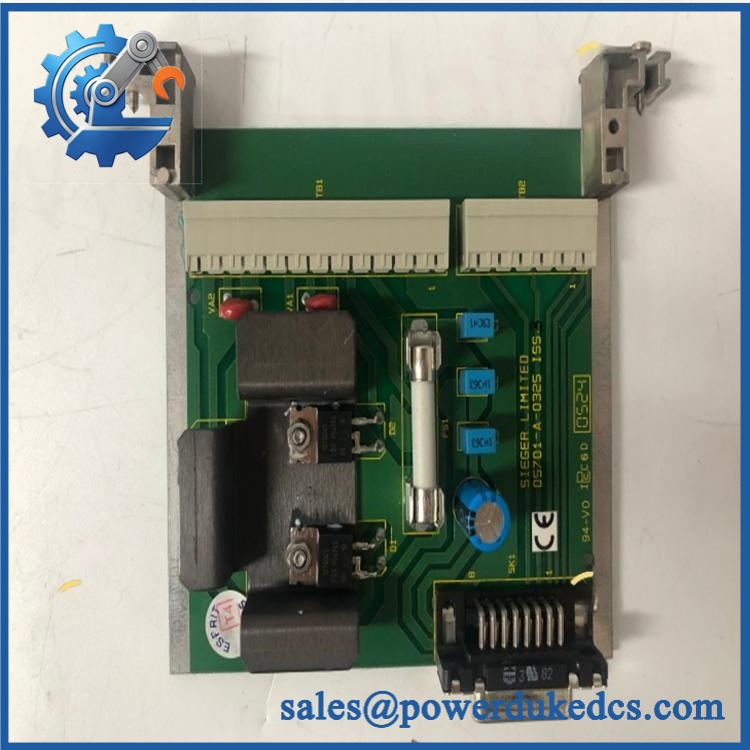
HONEYWELL DC-TCNT01
Note: Exact electrical ratings, dimensions, and weight should be verified against the applicable Honeywell hardware manual and module revision documentation.
5. Application Scenarios & Pain Points
Control network failures are often more disruptive than individual I/O failures because one communication point can affect several downstream devices.
- Refinery DCS systems: The DC-TCNT01 supports communication infrastructure where continuous controller-to-I/O data exchange is required.
- Chemical processing plants: Used in distributed control cabinets where network stability affects process monitoring and regulatory operation.
- Power generation facilities: Maintains communication paths between control processors and remote equipment.
- Water and wastewater systems: Supports legacy Honeywell automation installations requiring stable field communication.
- Long-life industrial assets: Plants operating older Experion PKS systems often keep spare communication modules to reduce recovery time during network faults.
6. Common Error Codes & Diagnostic Symptoms
Symptom/Code: ControlNet Network Failure / Node Offline
→ Diagnosis: Possible failed interface module, incorrect node configuration, damaged cable segment, or network termination issue.
→ Action: Check network diagnostics and replace the DC-TCNT01 if module hardware failure is confirmed.
Symptom/Code: Controller Cannot Communicate With Remote I/O
→ Diagnosis: Communication interface failure, firmware mismatch, or incorrect ControlNet scheduling.
→ Action: Verify system configuration and replace the module if the communication hardware is defective.
Symptom/Code: Intermittent Network Dropouts
→ Diagnosis: Possible module degradation, connector issues, grounding problems, or ControlNet media faults.
→ Action: Inspect the complete network path before replacing hardware.
7. Cross-Reference & Lifecycle Migration
- Related Honeywell Hardware:
- DC-TCxxx communication module family
- Honeywell Experion PKS C200 communication interfaces
- Compatibility Notes:
- Verify controller platform.
- Confirm ControlNet network design.
- Check Experion software release compatibility.
- Match hardware revision.
- Firmware Requirements:
Firmware compatibility depends on the installed Experion PKS release and controller configuration. A module replacement may require database verification before returning to service. - Lifecycle Status: Legacy / Installed Base Support
- Common in existing Honeywell C200 systems.
- Recommended spare strategy: maintain tested communication modules for critical network nodes.
- Migration Strategy:
Modern Honeywell controller platforms may use different communication architectures. Migration requires engineering review, network redesign, and validation testing.
8. Field Engineer’s Tech Notes (Anti-Pitfall Guide)
- Do not replace the module before documenting the ControlNet schedule.
Network parameters and node information must match the existing system configuration. - Inspect the ControlNet cable before condemning the hardware.
Damaged coax connectors, poor shielding, and incorrect termination frequently create symptoms that resemble module failure.
9. Strict QA & Testing SOP
Step 1 — Incoming Inspection
- Confirm Honeywell DC-TCNT01 identification.
- Record serial number and revision marking.
- Inspect connectors, housing, and mounting points.
- Photograph physical condition.
Step 2 — Electrical Inspection
- Check module condition.
- Inspect chassis connector contacts.
- Verify no signs of overheating or contamination.
Step 3 — Rack Recognition Test
- Install into a compatible Honeywell test chassis.
- Confirm module recognition.
- Verify status indicators.
Step 4 — Communication Test
- Connect to ControlNet test network.
- Verify node communication.
- Check network stability.
- Confirm controller communication.
Step 5 — Packaging Control
- Place module inside ESD shielding packaging.
- Protect communication connectors.
- Use impact-resistant packaging for shipment.
Test videos are available for verified inspection records.
10. Buyer’s FAQ (Dynamic Q&A)
Q: Can the Honeywell DC-TCNT01 be removed while the system is running?
A: Do not assume hot-swapping is allowed. Follow Honeywell maintenance procedures because removing a network module may interrupt controller communication.
Q: How do I verify an original Honeywell DC-TCNT01?
A: Confirm the Honeywell label, complete part number, hardware revision, connector condition, and functional inspection records.
Q: Does this module include the latest firmware?
A: Firmware availability depends on the module revision and Experion PKS system release. Confirm compatibility with the existing controller environment before installation.
Q: What warranty information should be requested?
A: Confirm warranty period, communication testing coverage, inspection documentation, and whether the unit is New Original, New Surplus, or refurbished. For DCS communication modules, verified testing reduces commissioning risk.





 Start Chat


