

Description
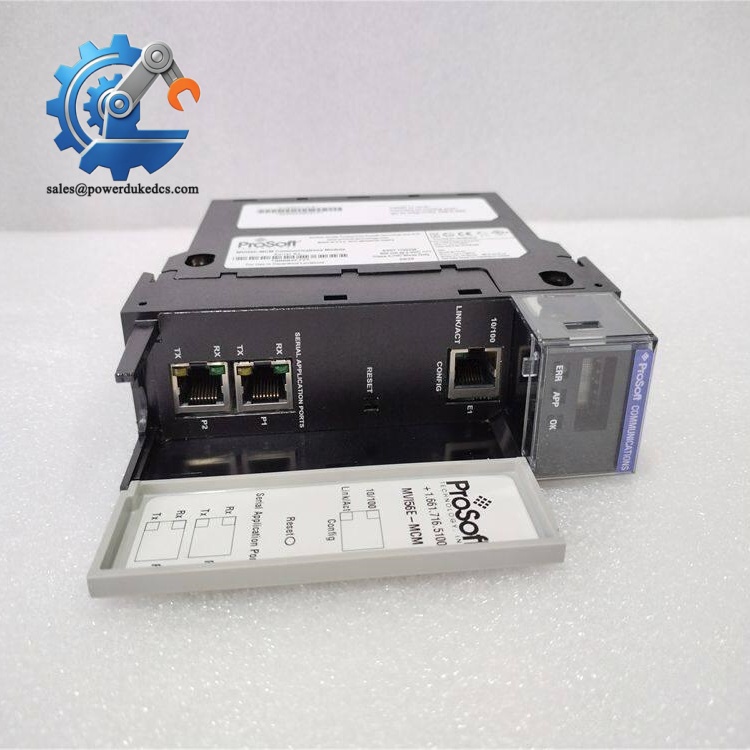
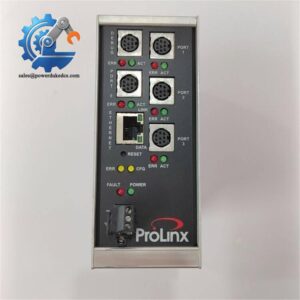
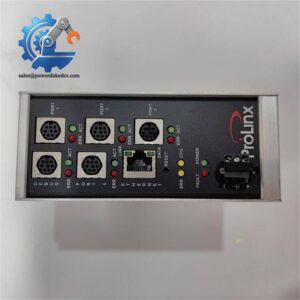
- ProSoft MVI56E-MCM | Traceable Modbus Master Module
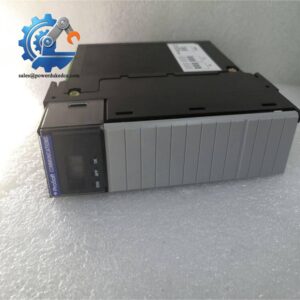
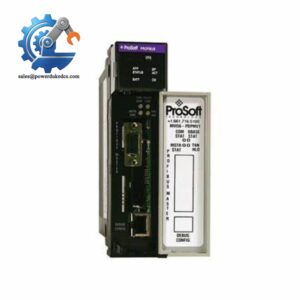
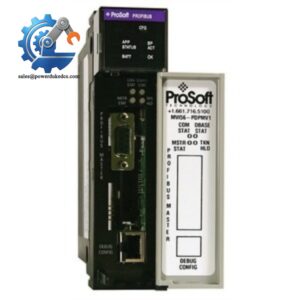
Unboxing & Physical Snapshot
- Model & Brand: ProSoft Technology MVI56E-MCM
- Product Type: Modbus Master/Slave Communication Interface Module
- Application: ControlLogix in-chassis communication module providing Modbus RTU/ASCII connectivity between Rockwell Automation ControlLogix processors and external serial devices. The module operates as an I/O module on the ControlLogix backplane.
- Platform Compatibility: Rockwell Automation ControlLogix 1756 chassis
- Communication Ports: Two independently configurable serial ports supporting Modbus Master or Slave operation.
- Approximate Physical Dimensions (W × H × D):
- Estimated: 33 × 135 × 150 mm
- Single-slot ControlLogix rack format.
- Estimated Shipping Weight: Approximately 0.45–0.60 kg including ESD packaging.
- What’s in the Box:
- ProSoft MVI56E-MCM module
- RJ45-to-DB9M serial adapter cables
- Installation documentation when supplied
- Identification label
- Anti-static ESD packaging
- Configuration accessories (if included by supplier)
Product Introduction
The MVI56E-MCM installs directly into a ControlLogix chassis slot, creating a dedicated Modbus communication path without consuming processor communication resources. The module exchanges Modbus data through the ControlLogix backplane, allowing PLC applications to access serial field devices as mapped I/O data. (This architecture is commonly maintained in brownfield plants where replacing validated serial networks would require extensive testing.)
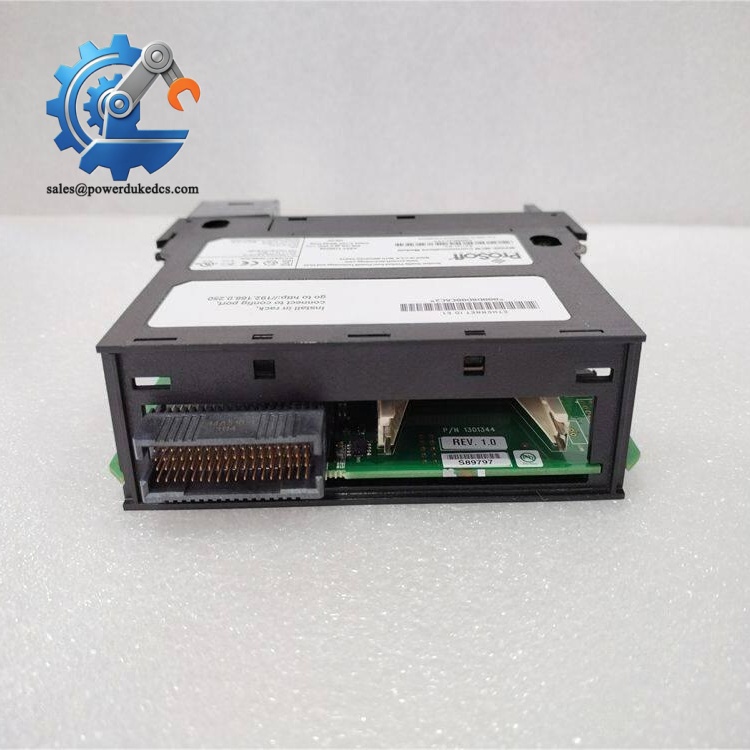
Treat this communication module as a controlled automation spare. Inspect the card edge connector, RJ45 serial interfaces, LED display, and enclosure before installation. Communication failures are frequently caused by incorrect serial parameters, wiring faults, or grounding problems rather than hardware damage. Verify baud rate, parity, node addressing, and RS-232/422/485 selection before replacing an existing unit.
Core Technical Specifications
| Parameter | Value |
|---|---|
| Manufacturer | ProSoft Technology |
| Model Number | MVI56E-MCM |
| Product Family | ControlLogix Communication Modules |
| Module Type | Modbus Master/Slave Interface |
| Compatible Platform | Rockwell Automation ControlLogix |
| Rack Installation | Single-slot 1756 backplane module |
| Communication Protocol | Modbus RTU / ASCII |
| Serial Ports | 2 configurable ports |
| Serial Modes | RS-232, RS-422, RS-485 |
| Ethernet Configuration Port | 10/100 Base-T RJ45 |
| Baud Rate | 110 to 115.2 kbps |
| Data Bits | 5, 6, 7, or 8 |
| Stop Bits | 1 or 2 |
| Parity | None, Even, Odd |
| Register Mapping | Up to 10,000 16-bit registers |
| Backplane Current Load | 800 mA @ 5 VDC; 3 mA @ 24 VDC |
| Power Consumption | Approximately 4 W |
| Heat Dissipation | Low-power PLC rack module dissipation |
| Operating Temperature | 0°C to 60°C |
| Storage Temperature | -40°C to 85°C |
| Humidity Range | 5–95% RH, non-condensing |
| Processor | Embedded communication processor |
| Memory | Internal configuration memory |
| Firmware | Factory-installed module firmware |
ProSoft MVI56E-MCM
Global Compliance & Industry Certifications
Expected compliance considerations for the ProSoft MVI56E-MCM include:
- CE Mark
- UL/cUL Listed or Recognized status depending on the final ControlLogix system certification.
- RoHS compliance where applicable.
- Industrial EMC compliance for control cabinet installations.
- ATEX/IECEx generally does not apply to the standard model. Hazardous-area versions should be evaluated separately.
- Marine approvals (DNV GL) are generally not applicable unless installed as part of a certified marine automation system.
EMC certification is important for serial communication modules because RS-232/422/485 networks can be affected by electrical noise from motors, drives, and switching equipment.
Verify specific lot certifications with OEM.
Long-Term Storage & Asset Preservation Guide
- Keep the inside the original anti-static ESD shielding bag until installation. Protect the backplane connector pins and serial interfaces from contamination.
- Maintain storage humidity below 60% RH to prevent oxidation on connectors and PCB degradation.
- Store modules in a temperature-controlled cabinet away from chemical vapors, vibration sources, and high-current equipment.
Check the date code.
For long-term inventory, record the module serial number, firmware revision, and configuration backup status. Communication modules often remain installed for many years, making spare traceability essential during audits.
Physical Installation Prerequisites
- Install only in a compatible Rockwell Automation ControlLogix 1756 chassis.
- Confirm available rack power capacity before adding the module.
- Insert the module firmly into the backplane connector and secure the retaining latch.
- Connect protective grounding through the control cabinet grounding system.
- Keep serial communication cables separated from motor power wiring.
- Maintain cabinet airflow and leave approximately 50 mm clearance around rack assemblies where practical.
- Verify RS-232, RS-422, or RS-485 jumper/configuration settings before startup.
- Confirm Modbus addressing and communication parameters before commissioning.
ProSoft MVI56E-MCM
Buyer’s FAQ (Logistics & Compliance Focus)
Q: What HS Tariff Code is commonly reviewed for the ProSoft ?
A: Industrial communication interface modules are commonly evaluated under HS 8517 or HS 8538 categories, depending on the declared function and customs interpretation. Final classification should be confirmed with the importing authority.
Q: Why does Country of Origin (COO) documentation matter for this module?
A: COO supports customs clearance, automation asset records, and supplier audit requirements. The COO should match the commercial invoice, packing list, and product identification label.
Q: Is shipping insurance recommended for the ?
A: Yes. The module contains PCB assemblies, memory devices, and precision connectors. Use ESD packaging, impact protection, and declared-value freight coverage.
Q: Does the include the latest firmware pre-loaded?
A: The module ships with factory firmware, but the installed revision depends on production history. Confirm firmware compatibility with the ControlLogix application and ProSoft configuration files before commissioning.



 Start Chat


