

Description
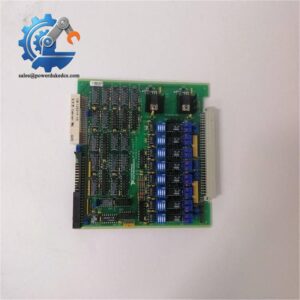
- SST SST-PB3-PCU-2 | New Surplus Profibus DP Network Interface Board Available
At-A-Glance Executive Brief
- Model: SST-PB3-PCU-2
- Brand: SST (Woodhead / Molex SST Technologies)
- Series: Profibus PCU Series
- Part Type: Profibus DP Communication Controller Module
- Core Function: Provides a hardware interface for connecting industrial controllers, PLCs, and computer-based automation systems to Profibus DP networks.
- Key Specs: Profibus DP master/slave communication support, PCI-based controller design, industrial fieldbus integration, SST Profibus communication architecture.
- Typical Use: Factory automation, PLC networking, DCS interfaces, and legacy Profibus installations.
Product Introduction
When a factory network loses communication with distributed field devices, the result can be unexpected stops, missing diagnostics, and difficult troubleshooting. The SST SST-PB3-PCU-2 is a Profibus communication controller designed to provide reliable connectivity between automation computers and Profibus DP networks.
Installed as part of a PC-based automation architecture, the SST-PB3-PCU-2 acts as the communication bridge between supervisory software or control applications and Profibus field devices. This type of interface hardware is commonly maintained in legacy production environments where replacing the entire control platform would require extensive engineering changes.
Core Technical Specifications
| Parameter | Value |
|---|---|
| Manufacturer | SST Technologies (Woodhead / Molex) |
| Model | SST-PB3-PCU-2 |
| Product Type | Profibus Communication Controller |
| Network Protocol | Profibus DP |
| Interface Type | PCI Bus Communication Card |
| Communication Mode | Master / Slave Operation |
| Fieldbus Speed | Up to 12 Mbps (dependent on configuration) |
| Application | PLC, DCS, PC-Based Automation Integration |
| Hardware Function | Profibus Network Management |
| Installation Type | Industrial Computer / Control Rack Installation |
| Typical Industries | Manufacturing, Process Automation, Machine Control |
| Replacement Category | Legacy Fieldbus Spare Hardware |
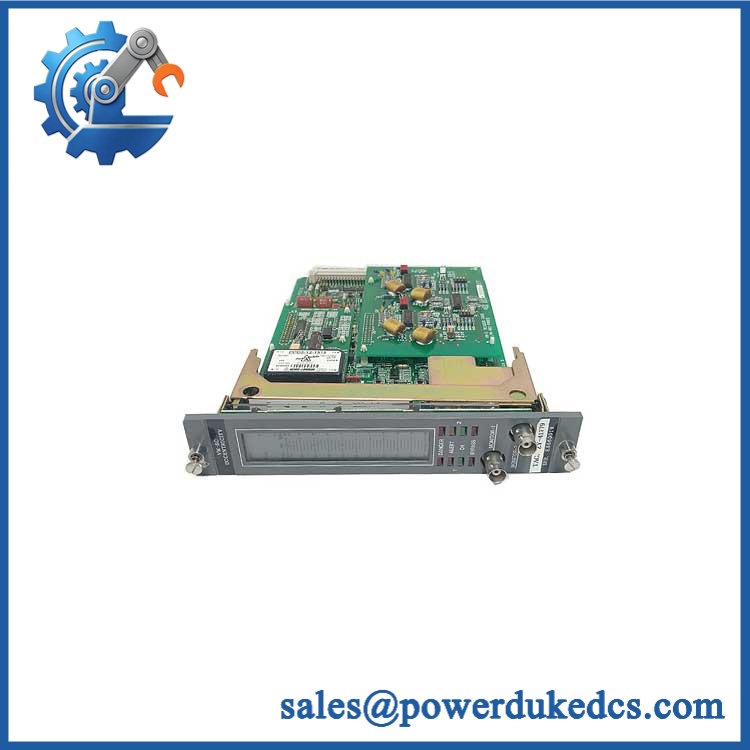
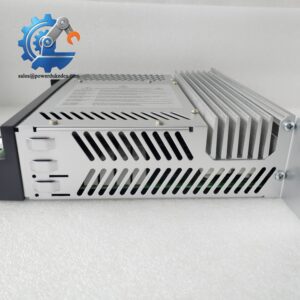
SST SST-PB3-PCU-2
Application Scenarios & Pain Points
During production line troubleshooting, engineers often replace Profibus interface cards when PLC communication failures affect multiple field devices at the same time.
In automotive and manufacturing plants, the SST-PB3-PCU-2 can support existing Profibus networks where hundreds of distributed I/O nodes and drives remain operational.
For process automation systems, a failed communication controller may prevent operators from accessing remote instruments even though field devices remain powered.
With a functioning SST-PB3-PCU-2, control software can exchange data with Profibus devices through the established network. Without it, communication diagnostics may show bus faults, offline nodes, or missing device data.
In industrial cabinets exposed to vibration and temperatures above 50°C, engineers should inspect PCI contacts, grounding, and cabinet cooling before replacing the communication card.
? Common Error Codes & Diagnostic Symptoms
Symptom/Code: Profibus Bus Fault / Communication Timeout
→ Diagnosis: The interface card may have lost communication with the Profibus network due to hardware failure, incorrect configuration, or damaged bus connection.
→ Action: Verify network parameters and replace the SST-PB3-PCU-2 if the controller hardware is defective.
Symptom/Code: All DP Slaves Offline
→ Diagnosis: Failure of the Profibus controller interface can prevent the host system from communicating with connected field devices.
→ Action: Check cabling and configuration, then replace the module if communication cannot be restored.
Symptom/Code: PCI Card Not Detected by Host Computer
→ Diagnosis: Hardware failure, PCI slot issues, driver problems, or damaged interface electronics may prevent recognition.
→ Action: Test another compatible PCI slot or replace the communication card.
Cross-Reference & Lifecycle Migration
- Original Model: SST-PB3-PCU-2
- Manufacturer Family: SST Profibus PCU Series
- Compatibility: Designed for systems requiring SST Profibus DP communication hardware.
- Replacement Considerations:
- Confirm PCI bus compatibility with the host computer.
- Verify driver and software compatibility.
- Confirm Profibus network configuration before installation.
- Firmware Requirement: Some applications may require matching firmware and communication driver versions to maintain compatibility with existing control software.
- Lifecycle Status: Legacy / Limited
- Many Profibus-based automation systems remain operational in factories worldwide.
- Maintaining tested spare communication cards can reduce downtime when migration to newer Ethernet-based networks is not planned.
Field Engineer’s Tech Notes (Anti-Pitfall Guide)
- Do not replace the card without checking the communication driver.
A new SST-PB3-PCU-2 may be electrically healthy but still fail to communicate if the host software uses an incompatible driver version. - Check Profibus termination before blaming the interface card.
Missing termination resistors, incorrect baud settings, or poor cable shielding can create symptoms that look exactly like a failed communication module.
Strict QA & Testing SOP
A professional inspection process for the SST-PB3-PCU-2 includes:
- Inbound Verification
- Confirm SST model number and hardware identification.
- Check labels, connectors, and board condition.
- Physical Inspection
- Inspect PCI contacts, communication ports, and PCB surface.
- Check for corrosion, contamination, or component damage.
- Power-Up Testing
- Install the card in a compatible industrial computer test platform.
- Verify hardware recognition and initialization.
- Communication Testing
- Connect to a Profibus DP test network.
- Verify master/slave communication behavior.
- Check data exchange stability.
- Driver and Software Verification
- Confirm communication software recognition.
- Validate network configuration parameters.
- Final Packaging
- Apply anti-static protection.
- Use shock-resistant packaging for international shipment.
Test videos and inspection records are available for qualified purchasing requests.
Buyer’s FAQ
Q1: Is the SST-PB3-PCU-2 still used in modern automation systems?
A: It is mainly found in legacy Profibus installations. Many factories continue operating Profibus networks and require replacement communication hardware for maintenance.
Q2: Can I replace my existing SST-PB3-PCU-2 with any Profibus card?
A: No. The replacement must match the host software, driver environment, bus configuration, and application requirements.
Q3: Does this module require software installation?
A: Yes. The host system normally requires compatible SST drivers and configuration software for proper communication.
Q4: How can I verify the module condition before purchase?
A: Request hardware photos, identification details, communication test records, and warranty information from the supplier before ordering.



 Start Chat


