

Description
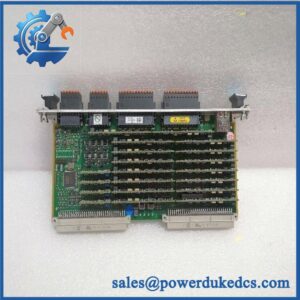
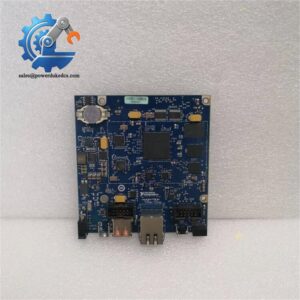
Unboxing & Physical Snapshot
- Model & Brand: National Instruments (NI) PXLE-1073, associated with NI PXI Express test-system hardware.
- Physical Dimensions: Exact mechanical dimensions should be taken from the applicable NI mechanical drawing for the PXLE-1073 revision. Do not substitute the dimensions of a visually similar PXI/PXI Express module.
- Estimated Shipping Weight: Approximately 1–2 kg gross is a reasonable provisional freight-planning allowance until the packed unit is physically weighed.
- What’s in the Box: PXLE-1073 hardware, applicable mounting hardware, and manufacturer documentation if supplied with the original shipment. Verify accessories against the PO and packing list.
- Receiving Identity: Photograph the front/rear labels, serial number, revision identifier, connector condition, and any NI assembly number before stocking.
- Packaging: For a long-term spare, retain the original ESD shielding bag and molded protective packaging where available.
Product Introduction
Architecture Hook
The PXLE-1073 belongs to the National Instruments PXI Express ecosystem, where mechanical fit, connector position, chassis compatibility, and PCI Express topology all matter. It should therefore be treated as a system-level spare rather than a generic plug-in board.
That distinction is important during replacement. A module can be physically compatible with a chassis yet still fail to operate correctly because of chassis slot topology, PCI Express resource allocation, software-driver support, or firmware revision (a common receiving-control issue with older PXI inventory).
Core Technical Specifications
| Parameter | Value |
|---|---|
| Manufacturer | National Instruments (NI) |
| Model | PXLE-1073 |
| Product Family | PXI / PXI Express |
| Hardware Type | PXI Express system hardware |
| Interface Technology | PCI Express / PXI Express architecture |
| Installation | PXI/PXI Express chassis environment |
| Operating System / Driver | Dependent on installed PXI controller and NI software stack |
| Power Requirements | Verify against the exact NI hardware manual and chassis configuration |
| Cooling | Chassis forced-air cooling |
| Mounting | PXI/PXI Express card-cage mounting |
| ESD Requirement | ESD-controlled handling required |
| Firmware | Revision-dependent; verify before deployment |
| Dimensions | Verify exact mechanical drawing for PXLE-1073 revision |
| Weight | Verify from physical unit; packaging weight varies |
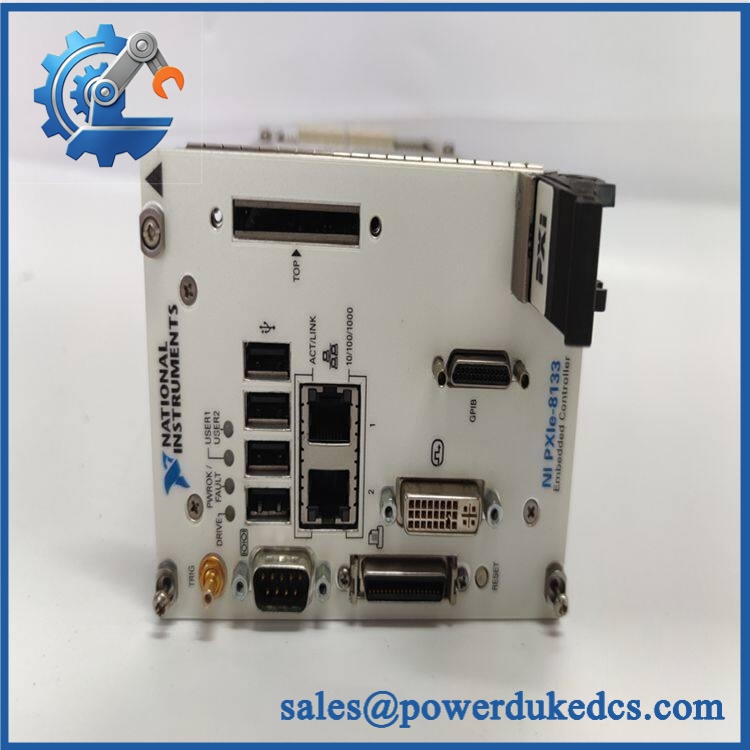
NI PXLE-1073
Important identity warning: The designation should not be confused with NI’s similarly numbered PXI chassis products, such as the PXIe-1073. The marking should be verified directly from the physical nameplate before creating or modifying an ERP material master.
Power draw, thermal dissipation, and PCI Express lane allocation should be taken from the exact NI technical documentation for the installed assembly. Guessing these values from another PXI Express chassis or board can produce an incorrect cabinet heat-load calculation.
? Global Compliance & Industry Certifications
- CE Mark: Depending on the exact NI hardware configuration and market version, applicable NI equipment may carry CE conformity markings. Verify the physical label and current NI Declaration of Conformity.
- UL/cUL: Do not assume UL/cUL Listing solely from the NI brand. Certification applies to specific hardware and configurations.
- FCC: Applicable NI electronic test equipment may be subject to FCC emissions requirements; verify the exact product’s regulatory label.
- ATEX/IECEx: Do not classify this hardware as ATEX/IECEx equipment unless the exact NI assembly has an applicable certificate. Standard PXI/PXI Express laboratory/test hardware should not automatically be installed in a hazardous area.
- Marine Approval: DNV or other marine certification must be confirmed against the exact part number if intended for offshore or marine deployment.
- Plant Safety: PXI Express hardware generally belongs inside controlled electrical equipment rather than directly inside a classified process area. Correct enclosure, grounding, cooling, and EMC practices remain necessary even where no hazardous-area certification is claimed.
- Audit Record: Preserve the product label photograph, serial number, hardware revision, conformity declaration, and applicable certification records.
Verify specific lot certifications with OEM.
? Long-Term Storage & Asset Preservation Guide
- Keep the board inside its original ESD shielding bag. Do not store an exposed PCB on ordinary cardboard, foam, or a metal shelf. Connector contacts and high-density PCI Express interfaces are particularly vulnerable to contamination and electrostatic discharge.
- Control humidity and condensation. A clean electronics warehouse with stable temperature and preferably below 60% RH is appropriate for long-term storage. Avoid repeated movement between cold storage and warm humid environments; condensation can form on connectors even when the room eventually appears dry.
- Protect the card edge and connectors. Do not touch gold-plated contacts with bare fingers. If the original protective caps are present, retain them (they are inexpensive compared with replacing a contaminated interface).
- Maintain configuration records. Record the serial number, revision, firmware identification, and driver compatibility information before the unit is placed into strategic spare inventory. A five-year-old PXI spare may be electrically sound but still require software-stack validation before deployment.
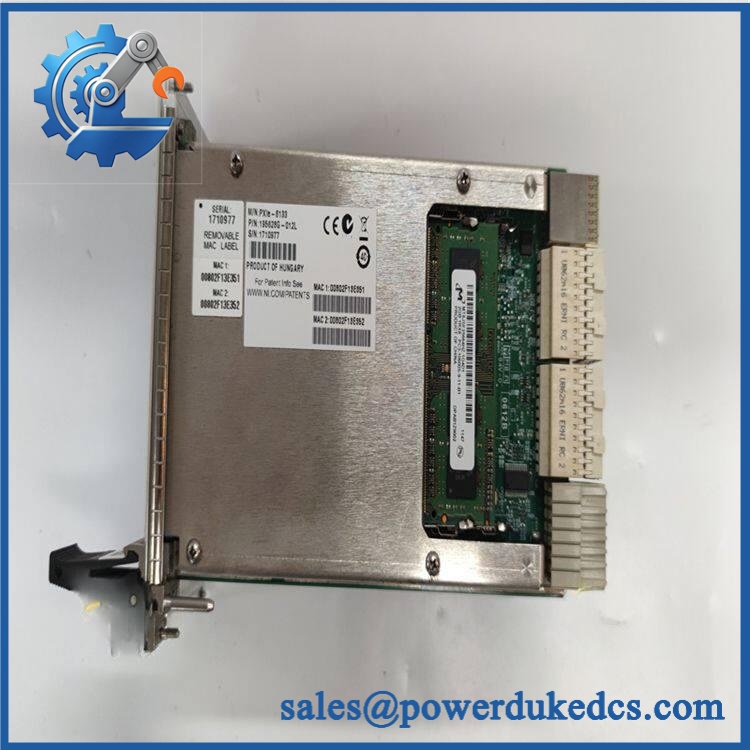
NI PXLE-1073
Physical Installation Prerequisites
- Chassis Compatibility: Confirm the exact PXI/PXI Express chassis model and slot type before installation. Do not force a module into a mechanically similar slot.
- Retention: Secure the module using the chassis front-panel retaining screws. The card should be fully seated before tightening the retaining hardware.
- Cooling: Maintain the chassis manufacturer’s specified airflow path. Keep adjacent slot covers installed where unused slots would otherwise disturb the designed airflow pattern.
- Clearance: Allow sufficient rear and front service space for chassis ventilation and connector access. The chassis cooling system—not the individual board alone—determines much of the thermal environment.
- Grounding: The PXI chassis protective earth must be correctly bonded before energizing the system. Do not defeat the protective-earth connection to address ground-loop symptoms.
- ESD: Use a grounded ESD wrist strap and ESD-safe workstation during handling.
- Power: Verify the chassis power budget before adding or replacing hardware. Total PXI system loading includes the controller, peripheral modules, and chassis cooling requirements.
- Software: Confirm compatible NI drivers, firmware, and application software before commissioning. Hardware recognition does not necessarily establish application-level compatibility.
Buyer’s FAQ
Q1. What HS tariff code should be used for ?
There is no defensible universal HS code that should be assigned from the model number alone. Classification depends on the hardware’s exact function and how the importing country’s tariff schedule treats PXI/PXI Express electronic assemblies.
For customs documentation, use the applicable national tariff classification after confirming the technical function with the customs broker or classification specialist. Do not copy an unrelated PXI chassis code into the commercial invoice.
Q2. Does Country of Origin affect the shipment?
Yes. COO can affect customs duty, preferential tariff eligibility, origin declarations, and trade-compliance screening.
The ERP record should distinguish manufacturer, country of manufacture, and ship-from country. They are not interchangeable. Obtain the COO from the physical nameplate, OEM documentation, or supplier Certificate of Origin when required.
Q3. Is shipping insurance worthwhile for this module?
For a strategic automation spare, insurance should be evaluated against its replacement cost and system downtime exposure rather than its physical weight. Record the serial number and photograph the module before packing so a carrier claim can establish the unit’s condition at handover.
Use ESD shielding material plus mechanical protection; a thin carton around an unrestrained PCB is not adequate export packaging.
Q4. Does the include the latest firmware?
Do not assume that it does. Firmware, driver support, and application compatibility can depend on the hardware revision and the NI software environment in which the module is installed.
For receiving inspection, record the hardware revision and serial number, then verify the supported firmware/driver combination against the applicable NI documentation before releasing the unit for field use.
Asset-control note: The designation requires exact identity verification before technical specifications are entered into an ERP or compliance database. In particular, confirm whether the physical unit is marked or PXIe-1073; those designations should not be treated as interchangeable.



 Start Chat


