

Description
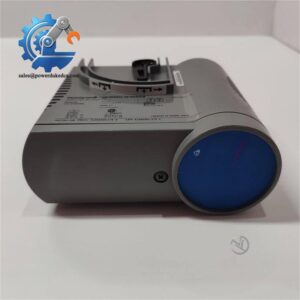
- HONEYWELL FC-BKM-0001 | FSC Controller Maintenance Module
2. At-A-Glance Executive Brief
- Model: FC-BKM-0001
- Brand: HONEYWELL
- Series/System: Honeywell Safety Manager / FSC (Fail Safe Controller)
- Part Type: Battery and Key Switch Module
- Core Function: Provides controller backup battery support, force enable control, reset key operation, and general-purpose input connections within the Safety Manager controller chassis.
- Key Specs:
- Dual lithium battery backup design
- Force Enable and Reset key switches
- 24 VDC and 5 VDC supply interface
- CE / TÜV / UL / CSA / FM approvals
- Controller chassis-mounted module
- Designed for Honeywell Safety Manager architectures
3. Product Introduction
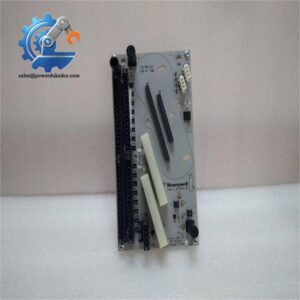
Safety controller availability depends on more than the processor itself. Battery retention, diagnostic memory preservation, and controlled maintenance access are handled through supporting hardware such as the HONEYWELL FC-BKM-0001. This Battery and Key Switch Module is installed in the Honeywell Safety Manager controller chassis and provides backup power functions for controller diagnostics, real-time clock retention, and system control switches.
Mounted in a dedicated controller chassis position, the FC-BKM-0001 contains two lithium batteries (one for each control processor), a Force Enable key switch, a Reset key switch, and three 24 VDC general-purpose inputs on the controller backplane (—important during safety system maintenance because incorrect key switch handling can affect forced I/O conditions).
4. Core Technical Specifications
| Parameter | Value |
|---|---|
| Manufacturer | HONEYWELL |
| Model | FC-BKM-0001 |
| Product Type | Battery and Key Switch Module |
| System Platform | Honeywell Safety Manager / FSC |
| Module Function | Battery backup and controller key control |
| Battery Type | Lithium Thionyl Chloride |
| Battery Quantity | 2 batteries |
| Battery Voltage | 3.6 VDC nominal |
| Battery Capacity | >2 Ah |
| Backup Duration | Approx. 3 months after power loss |
| Recommended Battery Replacement | Approx. every 5 years |
| 24 VDC Supply Voltage | 24 VDC -15% to +30% |
| 24 VDC Supply Current | Max. 20 mA |
| 5 VDC Supply Voltage | 5 VDC ±10% |
| 5 VDC Supply Current | Max. 10 mA |
| Output Supply Voltage | 14–31 VDC |
| Output Resistance | Approx. 2 × 1.1 kΩ parallel |
| Short Circuit Protection | Continuous |
| Operating Temperature | -5°C to +70°C |
| Storage Temperature | -40°C to +85°C |
| Relative Humidity | 10–95% RH non-condensing |
| Dimensions | Approx. 176 × 35.2 × 212 mm |
| Weight | Approx. 0.5–0.66 kg |
| Certifications | CE, TÜV, UL, CSA, FM |
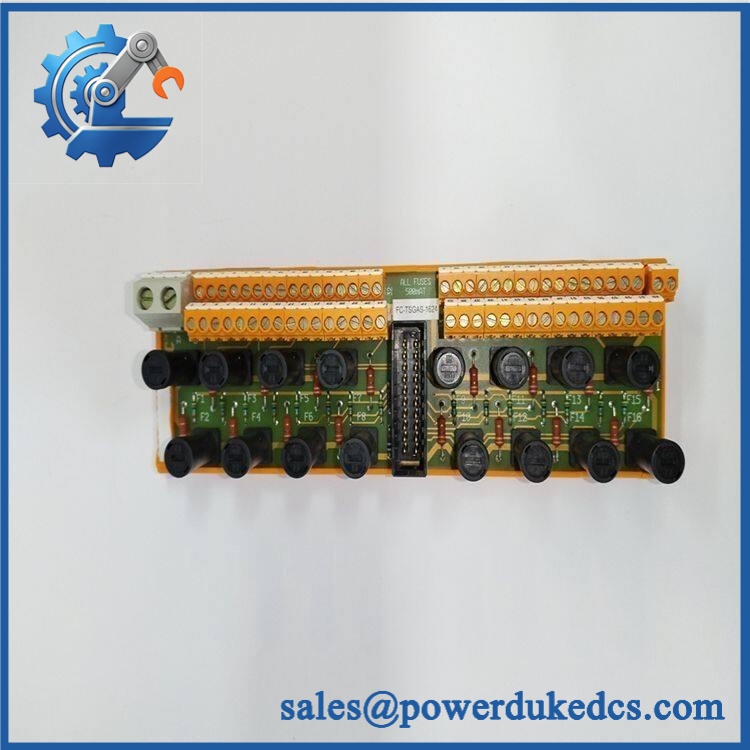
HONEYWELL FC-BKM-0001
5. Application Scenarios & Pain Points
A controller battery fault can remain unnoticed until the plant experiences a power interruption. The FC-BKM-0001 is maintained as a critical spare in Safety Manager installations where diagnostic retention and controller availability are required.
- Oil and gas facilities: Maintains safety controller memory retention during planned shutdowns or temporary power loss.
- Chemical plants: Supports Safety Instrumented System (SIS) controller operation in critical process areas.
- Power generation: Protects controller diagnostics and clock data during electrical maintenance.
- Offshore platforms: Supports safety systems installed in continuous-operation environments.
- Industrial manufacturing: Maintains legacy Honeywell FSC installations requiring exact hardware replacement.
For a safety system controlling hundreds of emergency shutdown signals, a failed battery module can complicate maintenance activities and increase restoration time.
6. ? Common Error Codes & Diagnostic Symptoms
Symptom/Code: STATUS LED Red
→ Diagnosis: Battery switch may be OFF, battery voltage may be low, or internal fuse protection may have activated.
→ Action: Check battery condition and replace FC-BKM-0001 if battery failure is confirmed.
Symptom/Code: Controller Clock / Diagnostic Data Lost After Power Failure
→ Diagnosis: Battery backup circuit is unable to maintain stored diagnostic information or real-time clock data.
→ Action: Replace batteries or the complete module according to maintenance procedure.
Symptom/Code: Force Enable Function Not Operating Correctly
→ Diagnosis: Key switch mechanism or module hardware may be damaged.
→ Action: Verify safety procedure settings and replace the module if required.
7. Cross-Reference & Lifecycle Migration
- Related Identification:
- FC-BKM-0001
- BKM-0001
- Compatibility Requirements:
- Confirm:
- Honeywell Safety Manager controller chassis model
- Controller revision
- Existing battery type
- Key switch configuration
- Confirm:
- Firmware / Configuration Requirements:
- The FC-BKM-0001 does not contain application control firmware.
- System configuration remains stored within the Safety Manager controller hardware/software environment.
- Lifecycle Status:
- Status: Legacy / Active Spare Support
- Existing Safety Manager systems often require stocked replacement modules because hardware replacement options are limited.
- Migration Strategy:
- Maintain battery replacement records.
- Keep controller chassis documentation updated.
- Store one tested spare for safety-critical installations.
8. Field Engineer’s Tech Notes (Anti-Pitfall Guide)
- Do not remove the module with Force Enable active.
Removing the BKM module can remove forced I/O conditions and alter maintenance behavior. Confirm the key switch position before extraction. - Do not store this module without considering battery condition.
Lithium batteries can discharge during extended storage. Record storage dates and inspect battery status before installation.
9. Strict QA & Testing SOP
A professional inspection process for HONEYWELL FC-BKM-0001 should include:
Step 1 — Incoming Inspection
- Verify Honeywell identification label.
- Confirm FC-BKM-0001 part number.
- Record serial number and hardware revision.
- Check battery storage condition.
Step 2 — Physical Examination
Inspect:
- Front panel switches
- Battery compartment
- Backplane connector
- Housing condition
- Mounting guides
Step 3 — Electrical Testing
- Apply 24 VDC supply.
- Verify 5 VDC interface.
- Check battery voltage.
- Confirm LED status operation.
Step 4 — Functional Testing
- Verify Reset key operation.
- Verify Force Enable switch function.
- Confirm controller chassis recognition.
- Check diagnostic retention behavior.
Step 5 — Packaging Control
- Protect front switches.
- Use anti-static packaging.
- Prevent mechanical shock during transport.
Test videos are available for selected inspected units.
10. Buyer’s FAQ (Dynamic Q&A)
Q: Can the Honeywell FC-BKM-0001 be hot-swapped?
A: No. This module is part of a safety controller chassis. Replacement should be performed during controlled maintenance following site safety procedures.
Q: How do I verify this is an original Honeywell FC-BKM-0001?
A: Confirm the Honeywell label, BKM-0001 identification, chassis compatibility, battery specification, and supplier inspection documentation.
Q: Does the FC-BKM-0001 include firmware?
A: No. The module provides battery backup and key switch functions; it does not run user application firmware.
Q: What warranty applies to this safety module?
A: Warranty depends on supplier terms and product condition. Confirm whether the unit is new original, unused surplus, refurbished, or tested before installation.



 Start Chat


