

Description
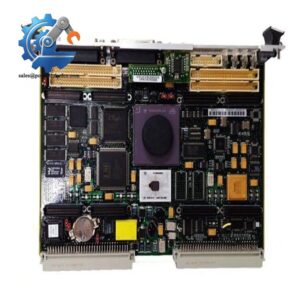
- Motorola MVME162-212 | Original Embedded Controller
2. Unboxing & Physical Snapshot
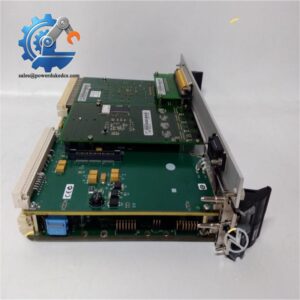
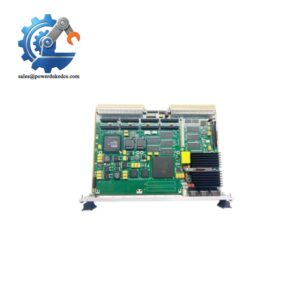
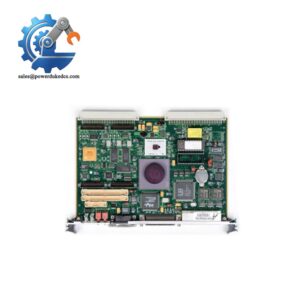
- Model & Brand: Motorola MVME162-212 Embedded Controller / VMEbus Single Board Computer. This configuration uses an LC68040 25 MHz processor with 4 MB memory, two IndustryPack interfaces, serial interfaces, and Ethernet capability.
- Approximate Physical Dimensions (W × H × D):
- Board only: approximately 233 × 160 × 17 mm
- With front panel and connectors: approximately 262 × 188 × 20 mm
- Double-height 6U VME form factor.
- Estimated Shipping Weight: Approximately 1.0–1.5 kg (2.2–3.3 lb) including ESD packaging and protective enclosure.
- What’s in the Box:
- Motorola MVME162-212 VME single board computer
- Front panel assembly
- ESD shielding bag
- Protective foam packaging
- Memory configuration label
- PROM/boot firmware components when supplied
- OEM documentation when available
3. Product Introduction
The Motorola MVME162-212 installs directly into a 6U VMEbus chassis, where the rear edge connectors mate with the VME backplane to provide processor, memory, and peripheral communication paths. Cabinet integration depends on correct slot assignment, backplane compatibility, and airflow management. Check the connector alignment carefully before insertion (forced engagement can damage the VME contacts or board edge fingers).
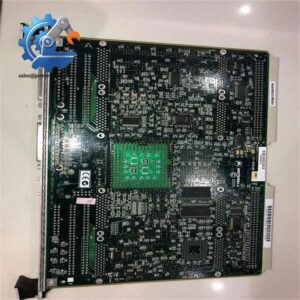
This embedded controller belongs to an earlier generation of industrial computing hardware used in automation, instrumentation, telecommunications, and specialized control systems. The board contains processor electronics, battery-backed memory, serial interfaces, and optional expansion interfaces. Inspect the battery condition, socketed devices, retaining hardware, and PCB surface before returning a stored unit to service.
4. Core Technical Specifications
| Parameter | Value |
|---|---|
| Manufacturer | Motorola |
| Model Number | MVME162-212 |
| Product Type | VMEbus Embedded Controller / Single Board Computer |
| Processor | MC68LC040 32-bit processor |
| Processor Speed | 25 MHz |
| DRAM Memory | 4 MB parity-protected DRAM |
| SRAM | Battery-backed SRAM |
| Flash Memory | Approximately 1 MB |
| NVRAM | Battery-backed non-volatile RAM |
| VME Interface | VMEbus A16/A24/A32 addressing |
| Data Transfer | D8/D16/D32 and block transfer support |
| IndustryPack Interfaces | 2 IP interfaces on MVME162-212 configuration |
| Serial Ports | Multiple asynchronous serial interfaces |
| Ethernet Interface | Integrated Ethernet capability |
| SCSI Interface | Configuration dependent |
| Power Input | +5 VDC, +12 VDC, -12 VDC rails |
| Typical Power Consumption | Approximately 18 W class |
| Cooling Method | Forced-air VME chassis cooling |
| Operating Temperature | 0°C to +70°C |
| Storage Temperature | -40°C to +85°C |
| Humidity | 5–90% RH, non-condensing |
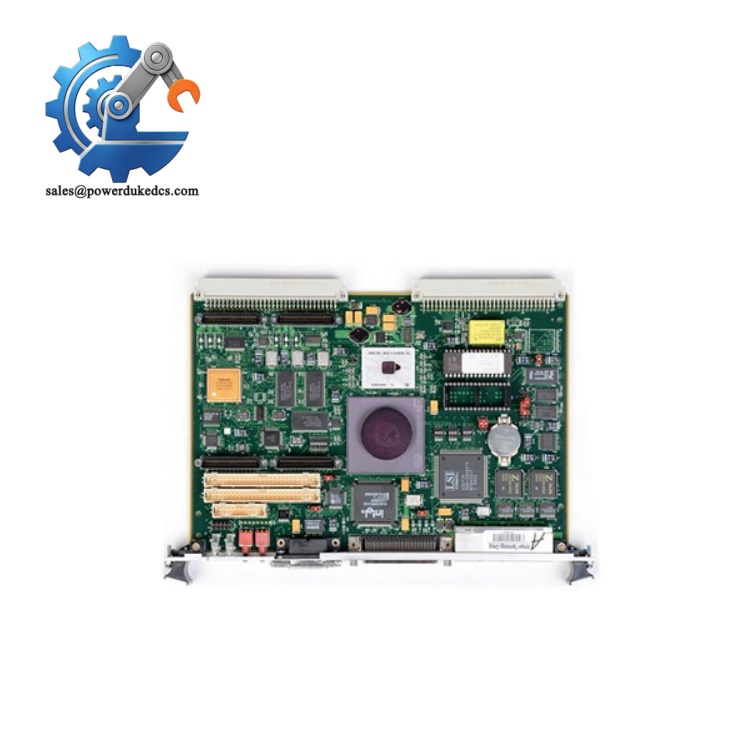
Motorola MVME162-212
5. Global Compliance & Industry Certifications
Expected regulatory approvals and compliance considerations for the Motorola MVME162-212 include:
- CE Mark compliance where applicable to the complete equipment assembly
- UL/cUL recognition when installed in an approved industrial computing chassis
- FCC Class A industrial computing emissions compliance considerations
- VMEbus IEEE 1014 compatibility
- RoHS status dependent on manufacturing date and refurbishment history
- ATEX/IECEx suitability only when integrated into a certified hazardous-area enclosure
- Marine approvals such as DNV GL only for specifically qualified systems
VME industrial computers often operate as part of larger control platforms. Certification normally applies to the complete rack assembly, including power supply, chassis grounding, enclosure shielding, and wiring.
Verify specific lot certifications with OEM.
6. Long-Term Storage & Asset Preservation Guide
Store the MVME162-212 inside an anti-static (ESD) shielding bag. Protect the VME edge connectors from oxidation and mechanical contact damage. Do not stack boards directly on top of one another.
Inspect the battery-backed memory components before long-term deployment. Older VME boards may contain backup batteries that can deteriorate over extended storage periods and damage nearby PCB traces if leakage occurs.
Maintain warehouse humidity below 60% RH and avoid temperature cycling. Before installation, inspect socketed chips, connector pins, electrolytic capacitors, and the PCB coating condition.
7. Physical Installation Prerequisites
- Install only in a compatible 6U VMEbus chassis.
- Confirm VME backplane voltage compatibility before insertion.
- Use the board extraction handles and retaining screws correctly.
- Provide forced-air cooling through the chassis airflow system.
- Maintain unobstructed airflow around the front panel and card guides.
- Verify chassis grounding and protective earth bonding.
- Leave sufficient service clearance for board removal.
- Check battery condition before energizing stored units.
8. Buyer’s FAQ (Logistics & Compliance Focus)
Q: What HS Tariff Code is commonly used for the Motorola MVME162-212?
A: VME embedded controller boards are commonly evaluated under HS classifications covering electronic assemblies and computer/control equipment, often within HS 8471 or HS 8537 categories depending on declared function. The final classification must be confirmed by the importer’s customs broker.
Q: Does Country of Origin affect this Motorola VME board shipment?
A: Yes. COO affects customs processing, maintenance documentation, and asset traceability. Verify the origin from the PCB markings, product label, and commercial invoice because refurbished industrial electronics may have different documentation histories.
Q: Should shipping insurance be included for the MVME162-212?
A: Recommended. The board contains exposed connectors, socketed components, and battery-backed memory devices. Use ESD packaging, anti-shock protection, and receiving inspection records.
Q: Does the MVME162-212 include the latest firmware pre-loaded?
A: Firmware depends on the installed PROM/Flash contents and application history. The board may contain boot firmware, but the latest compatible software image must be verified against the target VME system configuration before installation.



 Start Chat


