

Description
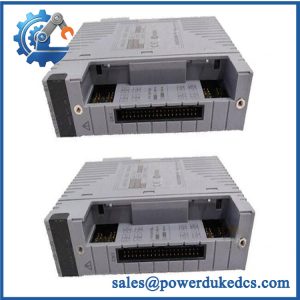
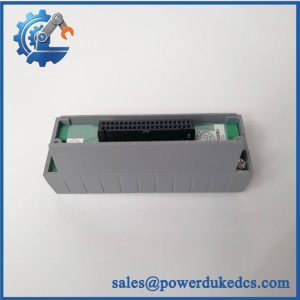
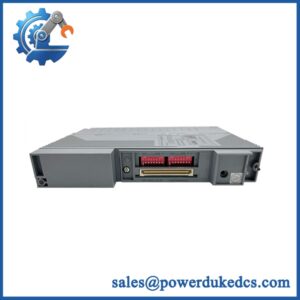
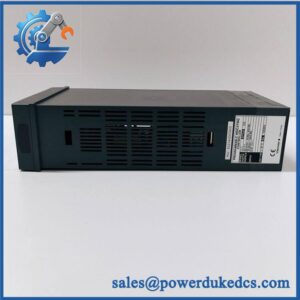
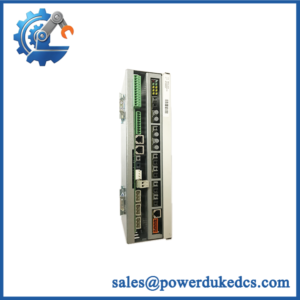
Unboxing & Physical Snapshot
- Model & Brand: Yokogawa YS1700-100/A06/A31
- Product family: Yokogawa YS1000 Series programmable indicating controller.
- Base model: YS1700 programmable indicating controller.
- A06 option: Ethernet communication interface.
- A31 option: RS-485 communication interface. Verify the suffix against the actual nameplate and Yokogawa documentation before procurement release.
- Physical dimensions: Approximately 144 W × 144 H × 185 D mm for the YS1700 panel-mounted instrument; verify the exact mechanical drawing for the installed configuration.
- Approximate net weight: Approximately 2.0 kg; weigh the actual unit for commercial freight documentation.
- Estimated shipping weight: Approximately 2.5–3.5 kg packed, depending on carton, cushioning, manuals, and accessories.
- What’s in the box: YS1700 controller, panel-mounting hardware, terminal/connection accessories, and documentation only where included with the specific inventory lot.
- Receiving inspection: Photograph the front panel, rear terminals, option labels, serial number, firmware revision, and rating plate before installation.
Product Introduction
Architecture hook: The YS1700 is a panel-mounted programmable indicating controller designed for process control applications, with the instrument combining indication, control computation, alarms, and communication functions in a compact panel installation. The complete YS1700-100/A06/A31 designation should be retained in the asset register because its option suffixes determine the installed communication configuration.
This is not a generic process indicator. The controller’s I/O assignment, control strategy, communication configuration, and firmware revision can all affect replacement commissioning. A visually identical YS1700 with different options may require different wiring or configuration work—which is why the complete suffix and rear-terminal arrangement should be checked before releasing the spare.
Core Technical Specifications
| Parameter | Value |
|---|---|
| Manufacturer | Yokogawa Electric Corporation |
| Product Family | YS1000 Series |
| Model | |
| Complete Configuration | -100/A06/A31 |
| Equipment Type | Programmable indicating controller |
| Mounting | Panel mount |
| Approx. Dimensions | 144 × 144 × 185 mm |
| Approx. Net Weight | 2.0 kg |
| Display | LCD / digital process indication |
| Control Function | Programmable process control |
| Ethernet | A06 option — verify exact interface configuration |
| RS-485 | A31 option — verify exact interface configuration |
| Power Supply | Verify nameplate |
| Power Consumption | Verify exact configuration |
| Heat Dissipation | Calculate from actual supply and installed options |
| Operating Temperature | Verify OEM specification |
| Storage Temperature | Verify OEM specification |
| Firmware | Record installed revision |
| Country of Origin | Verify physical unit/documentation |
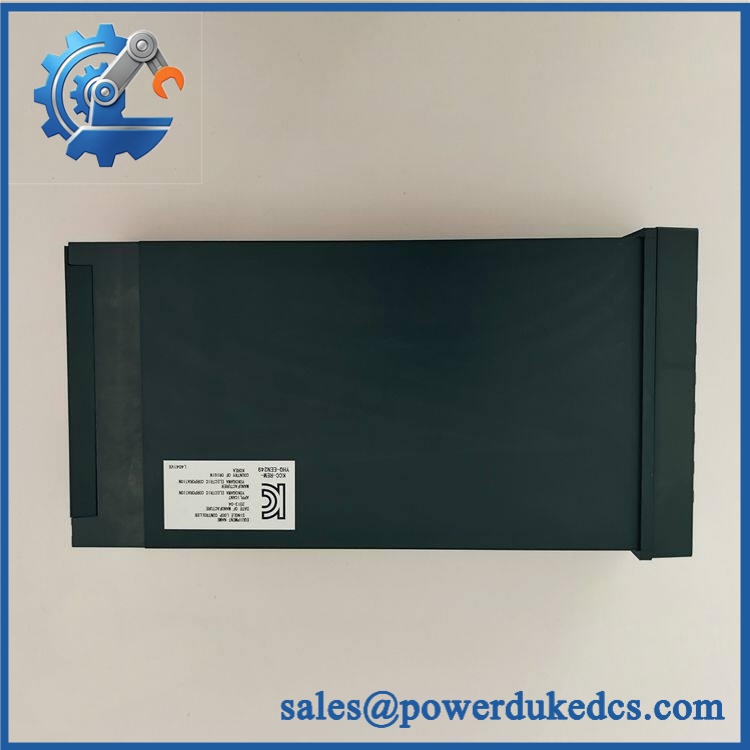
Yokogawa YS1700-100/A06/A31
The physical dimensions and weight should be treated as inventory-planning values, not customs-certified measurements. For freight and warehouse master data, use the actual packed dimensions and scale weight.
? Global Compliance & Industry Certifications
For the , certification depends on the exact model configuration, manufacturing revision, and intended market.
- CE Mark: Verify the applicable Yokogawa Declaration of Conformity for the exact configuration.
- UL/cUL: Verify North American certification against the complete model and power-supply configuration.
- ATEX / IECEx: Do not assume hazardous-area certification. The should only be installed in a classified location when the exact unit and installation arrangement are covered by the required certification.
- Marine approvals: DNV or another marine classification should only be claimed when explicitly documented for the exact configuration.
- EMC: Verify the applicable Yokogawa EMC documentation and installation requirements, including panel grounding and communication wiring.
For a process controller, certification is only one part of the compliance record. The I/O configuration, alarm behavior, communication links, and control parameters can also affect the safety and functional basis of the installation.
Verify specific lot certifications with OEM.
? Long-Term Storage & Asset Preservation Guide
- Protect the front-panel electronics. Store the controller in its original carton or equivalent protective packaging so the LCD, keys, bezel, and mounting hardware are not subjected to mechanical pressure.
- Control moisture. Keep the unit in a clean, dry warehouse, preferably below 60% RH, and prevent condensation after cold transportation. Moisture around the rear terminal assembly can cause corrosion and insulation problems.
- Preserve configuration information. Keep the original configuration files, option records, firmware revision, and terminal documentation with the physical asset. A replacement controller without the correct control parameters can be mechanically identical yet operationally unsuitable.
Before energizing a long-stored , inspect the rear terminals, communication connectors, display, mounting hardware, and enclosure for corrosion or contamination. Record the installed firmware/configuration before making any changes.
Physical Installation Prerequisites
- Use the specified panel cutout and mounting brackets for the ; verify the current OEM mechanical drawing before machining a cabinet.
- Maintain sufficient rear clearance for terminal wiring, communication connectors, and service access. Do not substitute a generic 50 mm requirement for Yokogawa’s specified installation clearance.
- Prevent cable bundles from pressing against the rear terminal block or restricting connector access.
- Establish the required protective grounding/bonding connection before energization.
- Keep Ethernet and RS-485 communication wiring appropriately separated from high-voltage switching and motor wiring.
- Verify RS-485 polarity, termination, shielding, and communication parameters before connecting the A31 interface.
- Confirm the Ethernet network configuration before connecting the A06 interface to a live plant network.
- Before enabling control outputs, verify all configured alarm limits, output actions, interlocks, and fail-safe states against the approved process-control documentation.
Buyer’s FAQ
Q: What HS Tariff Code should be used for -100/A06/A31?
A: The HS classification should be based on the controller’s actual function and electrical characteristics under the importing country’s tariff schedule. Do not classify it from the Yokogawa model number alone; retain the technical description supporting the customs decision.
Q: Does Country of Origin come from Yokogawa’s corporate headquarters?
A: No. COO is the actual manufacturing origin of the specific unit. Reconcile the physical nameplate, OEM documentation, supplier declaration, and commercial invoice before making a preferential-origin claim.
Q: What shipping protection is appropriate for this controller?
A: Protect the LCD/front bezel from compression and shield the rear terminal assembly from impact. For an expensive or difficult-to-source legacy spare, shipping insurance is reasonable; document the serial number and condition before dispatch.
Q: Does -100/A06/A31 contain the latest firmware?
A: Do not assume it does. Firmware revision and configuration should be recorded from the actual controller before commissioning. For a replacement unit, compare the firmware, option configuration, I/O assignments, alarm parameters, and control strategy against the approved operating baseline.



 Start Chat


