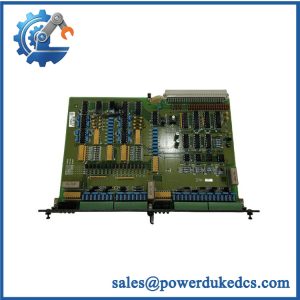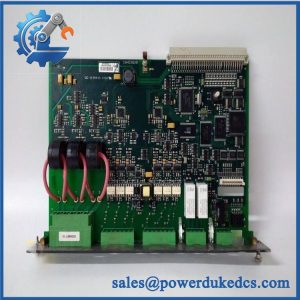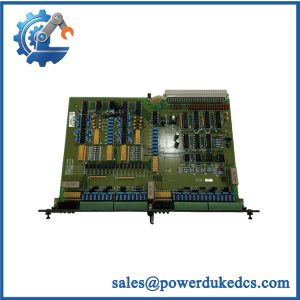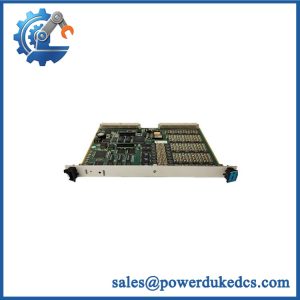
Description
-
Brand: DEIF
-
Full Model Number: DU-2/MKIII
-
Lifecycle Status: Confirm current OEM availability and support status
-
Core Function: Display and operator interface associated with DEIF generator control equipment; verify the exact function against the installed system
-
Top 3 Technical Specs: DU-2/MKIII model designation; interface and display specifications to be verified; supported controller and communication interface to be confirmed
-
Stock & Condition: Physical inventory, condition, revision, and dispatch lead time require confirmation
-
Procurement Priority: Confirm the installed controller family, connector arrangement, and display configuration before purchase
Obsolescence and Supply Chain Deep Dive
When a generator control display fails, operators may lose access to important operating values, alarms, or configuration menus. For facilities using legacy DEIF equipment, locating the correct DU-2/MKIII assembly can be more difficult than replacing a standard display. Confirm the exact product designation and its relationship to the installed controller before ordering. The model name alone does not establish electrical ratings, communication protocol, firmware requirements, or interchangeability. Request photographs of the actual unit, its nameplate, rear connectors, and available revision markings to reduce the risk of an incorrect shipment.
Replacing a failed display may cost less than upgrading an entire generator control system. The total cost of ownership (TCO) calculation should include the replacement price, engineering labor, commissioning, downtime exposure, and future spare availability. Where the existing controller remains serviceable, retaining the installed architecture may limit rewiring and operator retraining. However, this approach is economical only when compatibility is verified and the remaining system life justifies continued maintenance (surplus stock can reduce procurement delays, but condition and traceability still require review). Compare the replacement cost with the engineering and commissioning costs of a wider control-system migration before approving the purchase.
Compatibility and Replacement Matrix
The DU-2/MKIII should not be classified as a universal replacement display without confirmation of the installed system configuration.
|
Evaluation Item |
Procurement and Engineering Guidance |
|---|---|
|
Manufacturer |
DEIF |
|
Model |
DU-2/MKIII |
|
Product category |
Generator control display or operator interface; verify the exact designation against OEM documentation |
|
Intended application |
Confirm the associated DEIF controller and generator control system |
|
Replacement classification |
Conditional direct replacement; exact interchangeability not established |
|
Electrical interface |
Verify rated supply voltage, connector pinout, and wiring |
|
Communication interface |
Confirm the supported protocol and controller connection |
|
Firmware compatibility |
Check display and controller firmware requirements before installation |
|
Hardware modification |
Undetermined until mounting, connectors, and electrical interfaces are compared |
|
Estimated replacement labor |
Allow 1–2 hours for planning a straightforward physical replacement, excluding troubleshooting |
|
Engineering verification |
Allow 2–4 hours for initial compatibility review and test planning |
|
Commissioning |
Site-dependent; verify displayed values, alarms, operator controls, and communication |
|
Alternative model |
Requires documented compatibility approval; do not assume another DU-series model is interchangeable |
The time estimates are preliminary planning allowances, not DEIF specifications. Actual labor depends on access, isolation procedures, system configuration, and commissioning requirements.
Field Traps to Check Before Ordering
-
Electrical and connector mismatch: Compare the existing display’s power requirements, connector arrangement, and pin assignments with the proposed replacement. A similar enclosure or front panel does not prove electrical compatibility.
-
Controller and firmware mismatch: Verify the controller model, software revision, display configuration, and communication settings. An incompatible combination may prevent startup, suppress displayed values, or interrupt operator access.
Obtain engineering approval before removing the installed display, particularly where it is the primary operator interface for a running generator system.
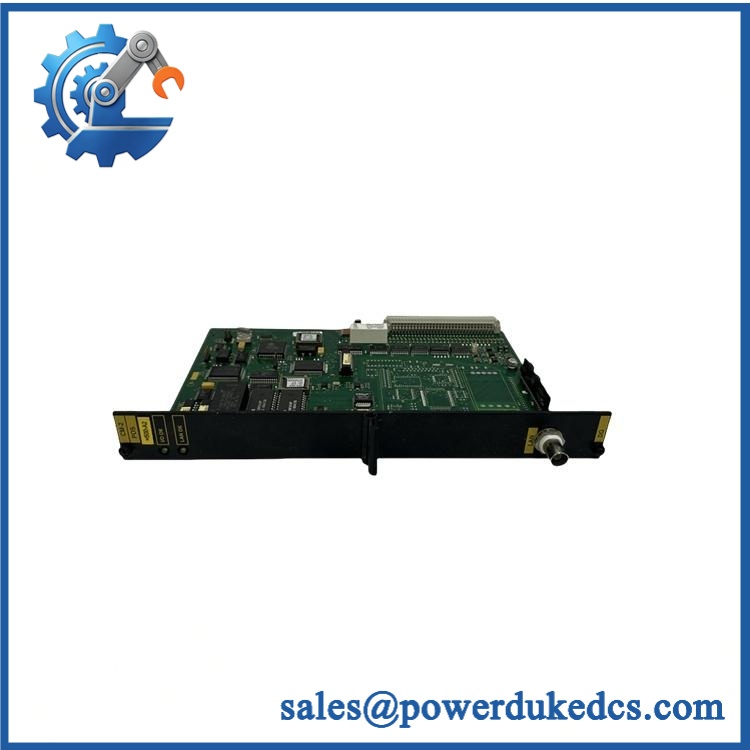
Quality Assurance and Testing SOP
Pre-shipment inspection should establish the unit’s identity, physical condition, and verified functional status. The actual test scope must reflect the available equipment and the product’s documented interface.
Visual Inspection and Product Identification
-
Record the DEIF brand, DU-2/MKIII designation, serial number, and available revision markings.
-
Photograph the front panel, rear connectors, nameplate, and housing.
-
Inspect for cracked displays, damaged keys, loose connectors, corrosion, and contamination.
-
Check markings and available traceability documents against OEM reference information.
-
Record discrepancies before functional testing.
Power-Up and Display Checks
-
Verify the rated supply voltage and pinout from the applicable documentation.
-
Connect the display to an approved compatible test setup.
-
Observe startup behavior and available status indicators.
-
Check display readability, key response, and visible diagnostic messages.
-
Record startup faults, blank-screen conditions, or abnormal behavior.
Communication and Functional Verification
-
Confirm communication with a compatible controller or approved test fixture.
-
Verify that supported operating values and status messages are displayed correctly.
-
Check available alarm indications and operator input functions.
-
Test control commands only where supported by the documented configuration and test procedure.
-
Record test results and any functions that could not be verified.
Final Inspection and Shipment Release
-
Match the unit to its inspection record.
-
Retain photographs and functional test results.
-
Apply suitable electrostatic-discharge protection where required.
-
Protect the display surface, keys, and connectors during packing.
-
Confirm the agreed condition, warranty terms, and shipment contents.
QA limitations: A visual inspection alone cannot prove OEM authenticity. Successful power-up does not establish full communication or control functionality. Only report communication testing, alarm verification, or operator-input testing as passed when the applicable checks have actually been performed.
Procurement and Lifecycle FAQ
Is the DEIF DU-2/MKIII in stock, and when can emergency shipping be arranged?
Physical stock must be confirmed before an order is accepted. Request the available quantity, condition, actual-unit photographs, revision details, dispatch location, and earliest carrier cutoff. Same-day shipping depends on stock verification, order processing, packing readiness, and carrier availability.
How do you verify the condition and authenticity of the DEIF DU-2/MKIII?
Request photographs of the actual unit, nameplate, serial number, connectors, and revision markings. Ask for available traceability records and functional test documentation. Visual appearance alone cannot establish authenticity, and any testing claims should be supported by recorded results.
Are there firmware compatibility issues to check before issuing the purchase order?
Potential compatibility issues depend on the installed controller and the display’s supported configuration. Confirm the controller model, software revision, electrical interface, communication protocol, and required display functions. Obtain engineering approval before installing the replacement.
What warranty and return terms apply?
The warranty period, coverage, exclusions, and return authorization procedure should be stated in the written quotation. Confirm how defects must be reported, whether the unit must be returned for inspection, and whether the warranty covers the full assembly. Do not assume that surplus inventory carries the manufacturer’s original warranty.
What information is needed for an accurate quotation?
Provide the following details:
-
Full model number: DEIF DU-2/MKIII
-
Required quantity and preferred condition
-
Photographs of the existing display and rear connectors
-
Installed controller model and software revision
-
Required delivery destination and arrival date
-
Warranty, traceability, and testing requirements
This information helps establish the correct scope of supply, verify compatibility, and set a realistic dispatch schedule before the purchase order is issued.