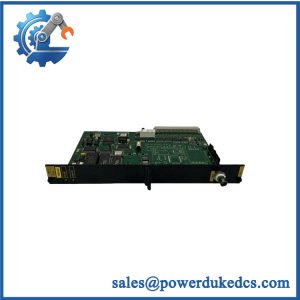
Description
-
Brand: DEIF
-
Full Model Number: GPU/2/GS
-
Lifecycle Status: Phased Out / End of Life
-
Core Function: Generator protection; synchronization and related control functions depend on installed hardware and software options
-
Top 3 Technical Specs:
-
Auxiliary supply: 12/24 VDC nominal; 8–36 VDC operating range
-
Voltage measurement: 100–690 VAC ±20%
-
Current measurement: 1 A or 5 A AC current-transformer inputs
-
-
Stock & Condition: Unit-specific availability; condition, option configuration, and dispatch schedule confirmed during quotation
Obsolescence & Supply Chain Deep Dive
When a legacy generator protection controller fails, finding an exact replacement becomes a maintenance priority. The DEIF GPU/2/GS is associated with the GPU-2 generator protection product family, which DEIF has phased out. DEIF’s published product information states that a direct replacement for GPU-2 is not currently available. Existing installations may therefore depend on available spare units to restore generator protection without immediately replacing the entire control system.
For maintenance teams managing aging generator panels, sourcing a matching controller can reduce the scope of an emergency intervention. Retaining the existing panel may avoid extensive wiring changes, control-system redesign, and additional commissioning work. The financial benefit depends on the replacement unit’s condition, configuration, and verified compatibility. Before purchasing, compare the installed controller’s option codes, firmware revision, measurement ranges, and terminal assignments with the proposed unit. A lower spare-part purchase price does not guarantee a lower total cost of ownership if additional engineering or commissioning is required.
Compatibility & Replacement Matrix
The replacement decision should be based on the complete controller configuration, not the model designation alone.
|
Replacement Scenario |
Compatibility Classification |
Estimated Labor and Planning |
|---|---|---|
|
Exact GPU/2/GS model with matching options, firmware requirements, and measurement ranges |
Conditional Drop-in Replacement |
Allow approximately 2–4 technician hours for inspection, replacement, and initial verification |
|
Same GPU-2 family with different software settings or fitted options |
Software and Configuration Review Required |
Allow approximately 4–8 or more technician hours for configuration checks, settings restoration, and functional testing |
|
Different controller generation or incompatible hardware option layout |
Hardware Modification or Engineered Migration |
Site-specific engineering assessment required; panel wiring, protection logic, and commissioning may need revision |
These are preliminary labor-planning estimates, not guaranteed installation times or prices. Actual requirements depend on the panel design, site access, settings records, and commissioning scope.
Field Traps to Check Before Ordering
Option and terminal-layout mismatch
The GPU-2 supports configurable hardware options for communication, engine interfaces, synchronization, and analog outputs. For example, Modbus RTU and Profibus DP use the same designated communication slot and cannot occupy it simultaneously. Confirm the installed option set and terminal assignments before approving a replacement.
Firmware and electrical configuration
The published GPU-2 datasheet identifies software version 2.4X.X. Compare the existing and replacement firmware information and verify that the available settings can be restored and checked under the installed configuration. Do not assume that different revisions behave identically.
Also verify the auxiliary supply, current-transformer rating, voltage-measurement range, and configured protection thresholds. The GPU-2 uses a nominal 12/24 VDC supply with an operating range of 8–36 VDC; the manufacturer specifies a 2 A slow-blow fuse for auxiliary supply protection. Incorrect wiring or measurement scaling can cause commissioning problems even when the controller powers on normally.
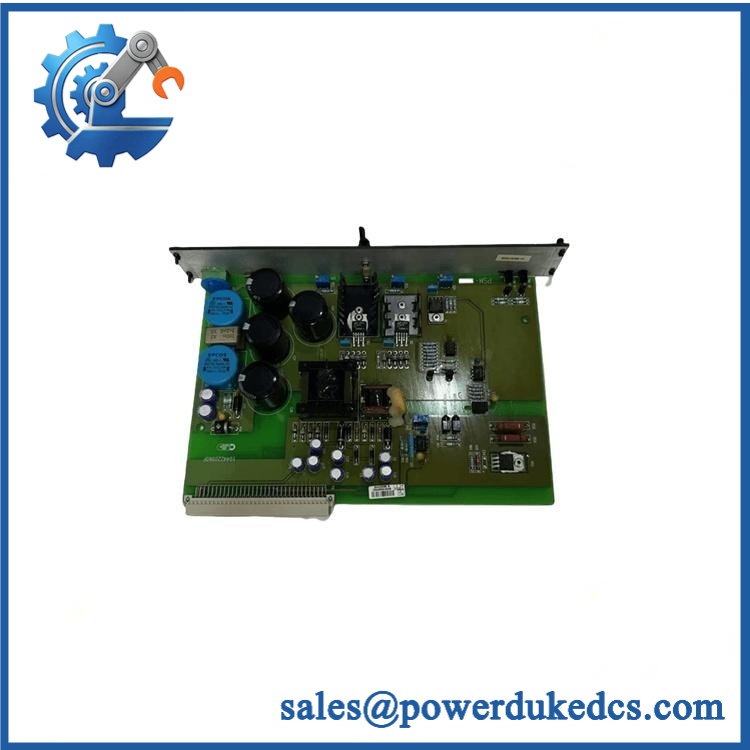
DEIF GPU/2/GS
Quality Assurance & Testing SOP
Each allocated DEIF GPU/2/GS unit should undergo checks appropriate to its stated condition and the test equipment available before shipment.
Visual Inspection and Manufacturer Identification
-
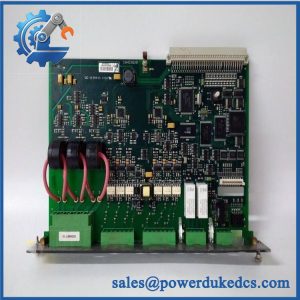
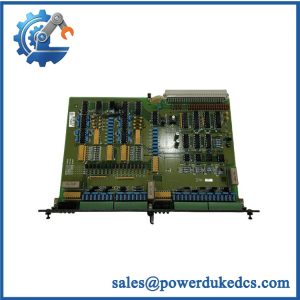
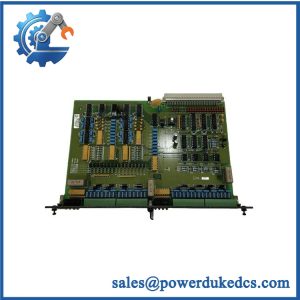
Inspect the DEIF logo, model designation, serial number, nameplate, and option markings.
-
Compare identification details against the purchase specification and available manufacturer documentation.
-
Examine the circuit board, connectors, terminal blocks, display interface, and enclosure for corrosion, cracked components, contamination, or physical damage.
-
Check for inconsistent labels, altered markings, damaged seals, or other signs requiring further authenticity review.
Power-On Self-Test (POST)
-
Apply the specified auxiliary DC supply using appropriate protection.
-
Confirm that the controller completes its startup self-test.
-
Review the display for fault messages and inspect the actual front-panel status indicators, including RUN or ERR indicators where fitted.
-
Record abnormal indications, failed startup sequences, or alarm outputs for further evaluation.
Measurement and I/O Load Testing
-
Apply simulated three-phase voltage and current signals within the unit’s rated measurement ranges.
-
Compare displayed measurements with calibrated test-instrument readings.
-
Check configured alarm thresholds and protection indications using controlled test signals.
-
Exercise applicable relay outputs with suitable test loads.
-
Verify binary inputs and fitted analog outputs against their specified operating ranges.
-
Test communication functions only where the corresponding hardware option is installed.
Final Inspection and Shipment Records
-
Record the test date, model identification, condition, and inspection results.
-
Document any functional limitations or unavailable tests before shipment.
-
Protect the unit against electrostatic discharge and mechanical damage during packing.
-
Provide the applicable inspection or test report with the shipment when included in the agreed order scope.
Bench testing does not replace site commissioning. Protection settings and trip logic must be validated against the actual generator installation before returning the equipment to service.
Procurement & Lifecycle FAQ
Is the DEIF GPU/2/GS currently in stock, and what is the emergency shipping cutoff?
Availability depends on the inventory allocated to your order. Confirm the exact model, condition, and required quantity before payment. Emergency dispatch depends on payment clearance, completion of any agreed inspection, packing requirements, and the carrier’s collection schedule. Obtain a written dispatch commitment for time-critical maintenance.
How do you verify the authenticity and condition of obsolete DEIF GPU/2/GS units?
The inspection process should compare the manufacturer markings, serial information, model designation, and hardware option configuration against the purchase specification and available reference documentation. Visual inspection and functional testing provide separate forms of evidence. Request current unit photographs and the applicable inspection report before issuing the purchase order, particularly when a replacement is needed for a critical generator.
Are firmware or configuration compatibility issues likely to affect replacement?
Yes. Differences in software revision, installed options, measurement ranges, or stored protection settings can affect commissioning. Provide photographs of the existing controller’s identification labels, details of its option configuration, and available settings backups before ordering. Engineering approval should precede installation, and the replacement must pass functional verification before operation.
What warranty and return terms apply to the DEIF GPU/2/GS?
Warranty coverage and return eligibility should be stated in writing on the quotation or pro forma invoice before the purchase order is released. Confirm the warranty period, coverage exclusions, claim procedure, and return authorization requirements. Do not assume that new-surplus, used, and tested-refurbished units carry identical terms.
Should we replace the with a newer controller instead of buying a legacy spare?
The correct choice depends on remaining equipment life, the urgency of the failure, spare availability, and the cost of an engineered migration. A verified legacy spare may reduce immediate restoration costs where the existing installation remains serviceable. A newer controller may be more appropriate when long-term parts availability, changing protection requirements, or repeated failures justify a broader upgrade. Compare the full migration cost, including engineering, wiring,