

Description
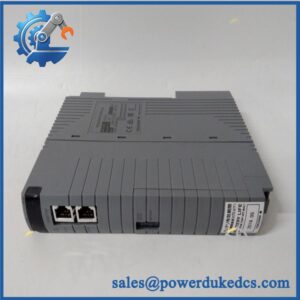
- Model: K4A00
- Actual Adapter Model: ATK4A-00
- Brand: Yokogawa
- Series: CENTUM VP / CENTUM CS FIO interface accessories
- Part Type: KS Cable Interface Adapter
- Core Function: Converts the compatible FIO module interface into a KS-cable connection for the external terminal-board and field-wiring architecture.
- Key Specs: Analog I/O interface | 16-point or 8-point connection capability | KS1/KS2 cable connection | IP54 protection. Yokogawa documentation identifies /K4A00 specifically as the option that includes ATK4A-00.
Important identification note: K4A00 is an option code, not normally a complete standalone Yokogawa model number. In Yokogawa ordering information,
/K4A00means “with KS Cable Interface Adapter,” model ATK4A-00.
Product Introduction
Structure B — Technical Direct
In the Yokogawa FIO architecture, the ATK4A-00 mounts as the KS cable interface associated with compatible analog I/O modules. Yokogawa specifies /K4A00 as the option for a KS Cable Interface Adapter, model ATK4A-00, across several FIO module families.
The adapter provides the physical path to KS1 or KS2 cabling and supports 16-point or 8-point connections, depending on the associated I/O arrangement. Current technical listings identify IP54 protection and analog I/O application. For legacy migration projects, the distinction between the /K4A00 option and the actual ATK4A-00 assembly is important when preparing an RFQ (the wrong interpretation can result in purchasing an I/O module instead of its interface adapter).
Core Technical Specifications
| Parameter | Value |
|---|---|
| Manufacturer | Yokogawa |
| Option Code | / |
| Actual Adapter Model | |
| Product Type | KS Cable Interface Adapter |
| Application | Yokogawa FIO analog I/O interface |
| Signal Type | Analog |
| Connection Cable | KS1 / KS2 |
| Connection Capacity | 16-point or 8-point |
| Protection Level | IP54 |
| Associated System | CENTUM VP / CENTUM CS |
| Mounting Relationship | Interfaces with compatible FIO I/O module and external KS-cable architecture |
| Firmware | None for the passive interface-adapter function |
| Replacement Strategy | Like-for-like replacement |
Yokogawa’s own FIO specifications repeatedly define / as “With KS Cable Interface Adapter [Model: ]”, confirming that is an ordering option rather than the complete hardware model.
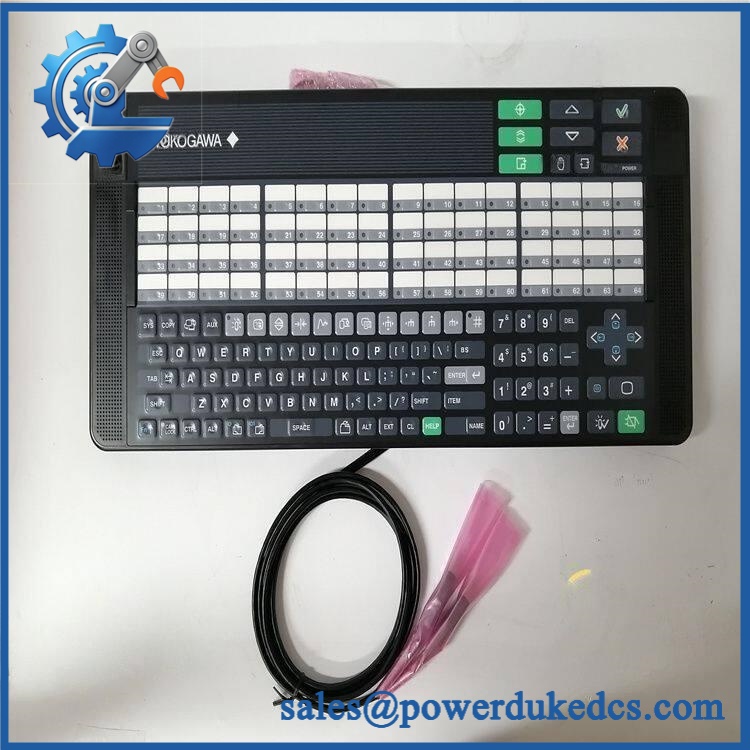
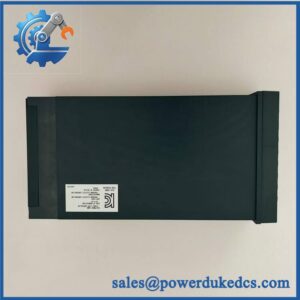
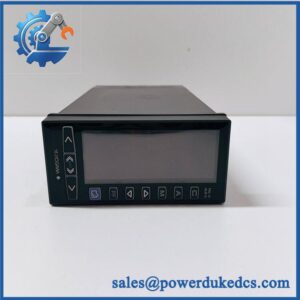
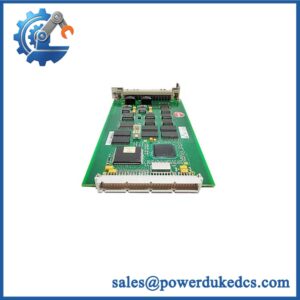
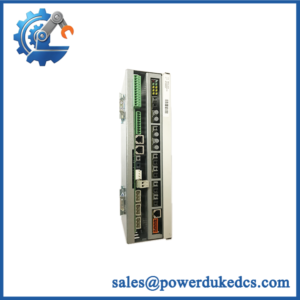
Yokogawa K4A00
Application Scenarios & Pain Points
A brownfield chemical plant is replacing a damaged interface assembly while retaining its CENTUM VP I/O modules. An exact can preserve the existing KS-cable and terminal-board architecture without changing the FIO module itself. This is usually the smallest intervention.
For a refinery using distributed I/O cabinets, the key concern is cable compatibility. The adapter is intended for KS1/KS2 connections, so the installed cable type should be checked before ordering.
In a power-generation installation, a damaged adapter can create an apparent I/O problem even when the analog module is healthy. Checking the adapter and cable path first can avoid unnecessary replacement of an expensive FIO module.
During cabinet expansion, the 16-point/8-point connection capability allows the interface arrangement to be matched to the relevant Yokogawa I/O configuration. Current technical records identify as a 16-channel KS cable interface adapter, with support for 8-point arrangements in certain configurations.
Where cabinet conditions are moderate, the documented IP54 protection level provides a useful installation reference, although the complete cabinet enclosure rating remains the controlling environmental requirement.
🚨 Common Error Codes & Diagnostic Symptoms
Symptom/Code: Multiple analog channels become unavailable while the FIO module remains healthy
→ Diagnosis: Suspect the KS interface adapter, mating connector, or KS cable path rather than immediately replacing the I/O module.
→ Action: Inspect the interface and verify cable continuity; replace the adapter if the interface fault is confirmed.
Symptom/Code: Intermittent channel readings during cabinet or cable movement
→ Diagnosis: Poor connector engagement, damaged contacts, or mechanical stress at the adapter/cable interface can create intermittent signal paths.
→ Action: Reseat and inspect the interface; replace the when contact integrity cannot be restored.
Symptom/Code: No communication between FIO module and external terminal assembly
→ Diagnosis: Incorrect KS cable type, damaged adapter interface, or incorrect mating configuration.
→ Action: Verify KS1/KS2 compatibility and adapter identity before changing the I/O module.
Yokogawa’s accessible documentation does not provide dedicated diagnostic fault codes specifically for the . The above are field-level physical symptoms rather than OEM error-code assignments.
🚨 Cross-Reference & Lifecycle Migration
- Correct identification: → / ordering option → KS Cable Interface Adapter. Yokogawa documents this mapping directly.
- Compatible module families: Yokogawa documentation shows
/across analog FIO module families including AAI141, AAV141, AAB141, AAI841, AAB841, AAV144, and AAV544. - Direct replacement: should be treated as the like-for-like replacement for an installed .
- Firmware flashing: Not applicable to the adapter itself. The adapter provides the physical interface; firmware concerns belong to the associated intelligent I/O module.
- Lifecycle status: Legacy / established interface hardware. Current secondary inventory records continue to list , while Yokogawa’s technical documentation confirms the part’s intended interface role.
- Buffer-stock strategy: Plants with significant CENTUM VP/CS FIO installations should maintain 1–2 verified spare adapters when an outage would otherwise depend on uncertain legacy inventory.
- Migration warning: Do not cross-reference to
/M4A00,/V4A00,/A4S00, or/A4D00. Yokogawa identifies these as different interface options and adapter types.
Field Engineer’s Tech Notes
First warning: When the RFQ says only stop and check the complete module order number. / describes an option fitted to an I/O module; the physical accessory itself is . Buying based on “” alone can produce a completely different item than the maintenance team expects.
Second warning: Do not force the KS connector during installation. Verify the correct KS1/KS2 cable, connector orientation, mating interface, and terminal-board arrangement first. A damaged interface contact can create intermittent analog channels that are easily mistaken for an FIO module failure.
Strict QA & Testing SOP
- Inbound identity check: Confirm , associated
/designation where applicable, serial/lot information, and any revision markings. - Physical inspection: Examine the enclosure, connector housing, mounting features, labels, and cable interface for damage or deformation.
- OEM visual inspection: Compare connector geometry, markings, board construction, and manufacturing details against a known-good reference.
- Anti-counterfeit screening: Check labels, part markings, workmanship, connector construction, and evidence of unauthorized modification.
- Mechanical mating test: Mate the adapter with the intended compatible FIO module without excessive insertion force.
- KS cable inspection: Verify the correct KS1/KS2 cable and inspect its connector contacts before energization.
- Continuity testing: Check accessible signal paths between the FIO-side interface and KS cable interface against the approved wiring documentation.
- Isolation checks: Perform applicable grounding and insulation checks according to the installed Yokogawa cabinet procedure.
- Live rig testing: Install the adapter with a known-good compatible FIO module and terminal-board assembly.
- Analog signal test: Apply representative analog signals and confirm stable transfer through the complete interface path.
- Channel verification: Where the configuration supports 16 points, exercise representative channels across the complete signal path; verify 8-point configurations according to the applicable wiring arrangement.
- Intermittency test: Perform controlled connector and cable movement while monitoring representative channels for dropouts.
- Extended run: Maintain the test assembly under representative operating conditions and monitor for communication or signal instability.
- Final QC release: Record part identity, test configuration, continuity results, functional observations, photographs, and technician sign-off.
- ESD packaging: Place the adapter in suitable antistatic packaging with connector protection and impact-resistant cushioning.
- Test evidence: Test videos are available for qualified units when requested as part of the pre-shipment QC package.
Current technical records identify as a KS Cable Interface Adapter with IP54 protection, analog I/O application, KS1/KS2 cable compatibility, and 16-point or 8-point connection capability.
Buyer’s FAQ
Q1. Is the complete Yokogawa part number?
No. Yokogawa uses / as an option code meaning “with KS Cable Interface Adapter,” while the actual adapter model is .
Q2. Can I hot-swap the ?
Do not assume hot-swapping is permitted. The adapter is part of the physical FIO signal interface, and the safe procedure depends on the connected I/O module and cabinet design. Follow the site’s approved isolation procedure before removing it.
Q3. What should I check before ordering a replacement?
Confirm the complete FIO module model, / option, adapter, KS1/KS2 cable type, terminal-board model, connection-point count, and connector condition. Yokogawa uses several different interface options, so a visually similar accessory is not necessarily interchangeable.
Q4. Does require firmware flashing?
No firmware flashing is normally associated with the adapter itself. It is an interface component. Firmware and configuration compatibility should be checked on the connected FIO module and the CENTUM system.
Q5. What warranty should procurement require for New Original or surplus units?
Specify , the exact physical configuration, accepted condition, connector inspection, continuity test, functional test scope, warranty period, DOA coverage, and return terms. For legacy DCS hardware, actual-unit photographs should be part of the purchase acceptance record.



 Start Chat


