

Description
- Model: S9361DH-00
- Brand: Yokogawa
- Series: CENTUM XL / legacy Yokogawa DCS hardware
- Part Type: Terminal Board Module
- Core Function: Provides the physical termination and signal-routing interface between field wiring and the associated DCS I/O architecture.
- Key Specs: Legacy CENTUM-series application | PCB terminal-board construction | Approx. 100 × 120 × 25 mm and 0.3 kg in secondary inventory records (verify against the actual assembly before PO release).
- Lifecycle Position: Legacy hardware with limited public technical documentation; buffer-stock planning is appropriate for plants still operating the associated architecture.
Product Introduction
A missing S9361DH-00 can hold up an otherwise routine DCS maintenance job because terminal hardware sits directly in the field-signal path. Available technical records identify this Yokogawa part as a Terminal Board Module associated with the CENTUM XL family, with its role centered on signal termination and routing between field wiring and DCS I/O hardware.
In field deployments, the economic case for retaining an exact spare is straightforward. Replacing a terminal board can preserve the existing cabinet arrangement, field conductors, I/O allocation, and maintenance drawings rather than forcing a larger legacy migration project. That matters when a plant has only a small number of remaining S9361-series assemblies (especially where shutdown windows are short). Public sources do not provide a reliable Yokogawa primary datasheet for this exact part number, so the complete board marking and installed-system drawing should control final compatibility.
Core Technical Specifications
| Parameter | Value |
|---|---|
| Manufacturer | Yokogawa |
| Model | S9361DH-00 |
| Part Type | Terminal Board Module |
| System Association | CENTUM XL / legacy Yokogawa DCS |
| Primary Function | Field wiring termination and signal interface |
| Construction | Industrial PCB terminal-board assembly |
| Reported Dimensions | Approx. 100 × 120 × 25 mm |
| Reported Weight | Approx. 0.3 kg |
| Mounting | System-dependent panel/rack installation |
| Country of Origin | Japan in current secondary inventory records |
| Lifecycle Profile | Legacy / limited-support spare |
| Exact Electrical Rating | Must be verified from installed-system documentation or OEM records |
The 100 × 120 × 25 mm dimensions and 0.3 kg weight appear in current secondary listings, but these values should be treated as procurement references rather than certified OEM specifications.
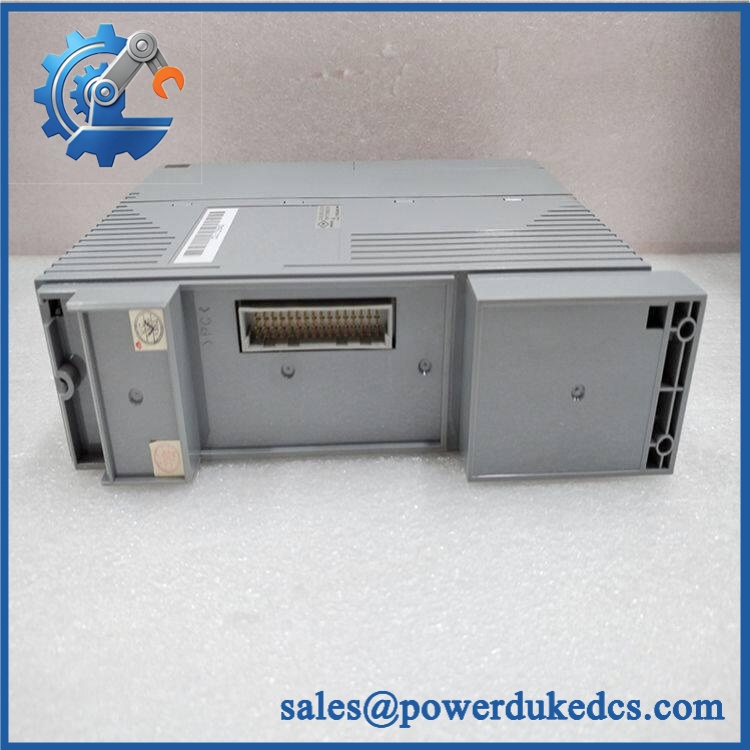
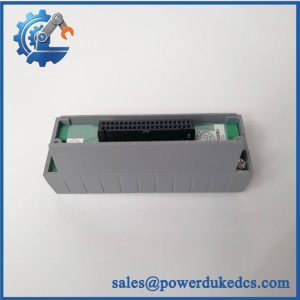
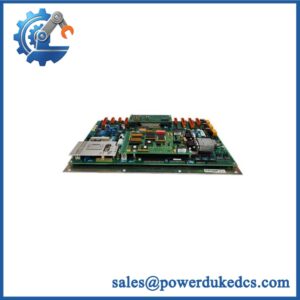
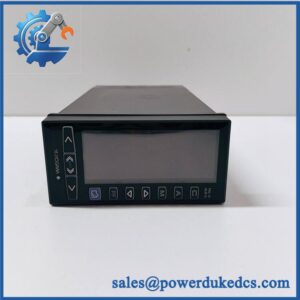
Yokogawa S9361DH-00
Application Scenarios & Pain Points
A refinery maintenance team discovers a damaged termination assembly during a planned cabinet inspection. With an exact S9361DH-00 available, the repair can remain confined to the affected terminal interface instead of expanding into a cabinet redesign. Legacy-system support is the main value here.
For a power-generation control room, the primary concern is documentation fidelity. A terminal board replacement should preserve the existing wire numbers and I/O mapping, with every conductor checked before energization. Plants operating near 50°C ambient should also verify cabinet thermal conditions rather than assuming a generic PCB rating applies.
In chemical processing, signal integrity becomes the practical concern. Loose terminals, oxidation, or damaged connector contacts can create intermittent process signals that resemble an I/O-card fault. A replacement board should therefore be inspected mechanically and electrically before being declared service-ready.
During a brownfield DCS expansion, an exact terminal-board match can reduce engineering hours because the existing cabinet arrangement can remain substantially unchanged. That is particularly useful when the original Yokogawa drawings are still available but replacement hardware is no longer routinely stocked.
🚨 Common Error Codes & Diagnostic Symptoms
Symptom/Code: Intermittent or unstable field signal at an otherwise healthy I/O channel
→ Diagnosis: Suspect loose terminal hardware, oxidized contacts, damaged traces, or an intermittent connection on the terminal-board assembly.
→ Action: Isolate the circuit, inspect the S9361DH-00 interface, verify continuity, and replace the board when physical degradation is confirmed.
Symptom/Code: Multiple adjacent channels lose field connectivity simultaneously
→ Diagnosis: A common termination/interface fault is more likely than simultaneous failure of several independent I/O channels. Inspect the board connector, common wiring paths, and terminal assembly.
→ Action: Verify the interface path against the cabinet drawing and replace the terminal board if the board-level fault is confirmed.
Symptom/Code: Open circuit or abnormal continuity during loop checkout
→ Diagnosis: Damaged terminal hardware, connector contacts, PCB traces, or field-side wiring may be interrupting the signal path.
→ Action: Perform point-to-point continuity testing before replacing the associated DCS I/O module.
Important: No authoritative Yokogawa diagnostic-code list for S9361DH-00 was located in the accessible public record. These are physical troubleshooting symptoms, not manufacturer-issued fault codes.
🚨 Cross-Reference & Lifecycle Migration
- Lifecycle status: Legacy / limited-support spare. Yokogawa maintains a dedicated discontinued-products resource, while secondary inventory sources continue to identify as a CENTUM XL terminal-board component.
- Previous revision cross-reference: No reliable OEM document was found establishing a direct predecessor or superseding Yokogawa part number for . Do not invent a cross-reference based on similar S9-series numbers.
- Drop-in status: Treat as a like-for-like replacement only when the physical board marking, connector arrangement, terminal assignment, mounting geometry, and associated I/O hardware match.
- Firmware requirement: None for the passive terminal-board function itself. Firmware compatibility belongs to the associated I/O or controller hardware.
- Migration implication: A newer CENTUM architecture should not be assumed compatible simply because the board is physically similar. A larger legacy migration requires separate wiring, I/O, cabinet, and engineering review.
- Buffer-stock strategy: Keep 1–2 verified spare units where a plant still relies on this exact termination architecture and replacement lead times are uncertain.
Field Engineer’s Tech Notes
First warning: Do not swap this board by connector count alone. On older Yokogawa cabinets, the terminal assignment and mating hardware matter just as much as the base part number. Photograph every wire position before removal and compare the replacement board marking character-for-character.
Second warning: Treat ESD and contact contamination seriously. Terminal boards can appear visually clean while having poor contact pressure or oxidation at the mating interface. Use an antistatic workstation, inspect the connectors under magnification, and perform point-to-point continuity checks before reconnecting live instrumentation.
Strict QA & Testing SOP
- Inbound identity check: Record Yokogawa branding, marking, serial/lot information, revision codes, and all auxiliary identification labels.
- OEM visual inspection: Compare PCB layout, terminal blocks, connectors, labels, component markings, mounting holes, and board finish against a known-good reference.
- Anti-counterfeit screening: Check silk-screen quality, manufacturer markings, solder workmanship, connector construction, and signs of unauthorized component replacement.
- Mechanical inspection: Verify terminal-block integrity, mounting points, connector alignment, card guides, and enclosure surfaces.
- Terminal torque inspection: Confirm that screw terminals are mechanically sound and free from stripped threads or damaged clamps.
- Continuity testing: Check every accessible signal path against the approved wiring drawing or verified reference assembly.
- Insulation/ground verification: Where applicable, test isolation and protective-ground continuity using the limits specified by the installed system documentation.
- Live rig installation: Install the board in a compatible CENTUM test environment with known-good associated I/O hardware.
- Signal verification: Apply representative field signals and confirm correct passage through the terminal interface to the associated I/O channels.
- Intermittency test: Perform controlled cable movement and connector checks to detect marginal contacts without disturbing the test wiring unnecessarily.
- Extended observation: Operate the assembly under representative cabinet conditions and monitor for intermittent channel loss or abnormal temperature behavior.
- Final QC release: Record serial number, continuity results, test environment, photographs, and technician sign-off.
- Packaging: Place the board in ESD-safe packaging with connector protection and shock-resistant cushioning.
- Test evidence: Test videos are available for qualified units when requested as part of the pre-shipment QC package.
Because public documentation for this exact terminal-board code is limited, the customer’s approved Yokogawa cabinet drawing should remain the controlling reference during functional acceptance. Current secondary records consistently classify as a Yokogawa terminal-board assembly.
Buyer’s FAQ
Q1. Can I hot-swap the ?
Do not assume hot-swapping is permitted. This is terminal-interface hardware, not a universally hot-swappable intelligent I/O module. Follow the plant shutdown/isolation procedure and the specific CENTUM cabinet maintenance instructions before removing the board.
Q2. How do I know a “New Original” is actually the correct part?
Ask for photographs of the actual unit, including the full marking, auxiliary labels, PCB revision, connectors, and terminal arrangement. Do not accept a stock image as proof of revision identity.
Q3. Does require firmware flashing?
Not for the terminal-board function itself. It is an interface/termination assembly. Firmware concerns belong to the associated intelligent I/O or controller hardware.
Q4. What should I send with the RFQ to avoid a wrong-part shipment?
Send the complete number plus photographs of the installed board, connector side, terminal labels, cabinet slot/position, and any associated I/O-module part numbers. That evidence is much more useful than the base model number alone.
Q5. What warranty should procurement require?
For surplus or legacy inventory, specify a written functional warranty, DOA protection, return period, and the exact part/revision accepted by the PO. Require the pre-shipment QC record and actual-unit photographs as part of the purchase documentation.



 Start Chat


