

Description
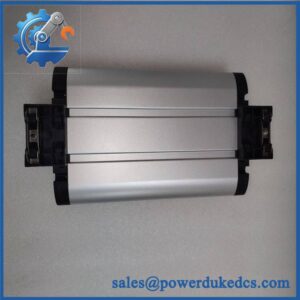
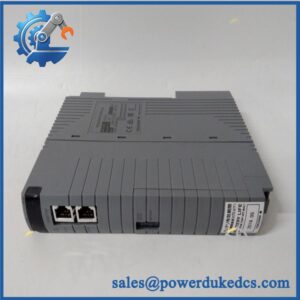
Unboxing & Physical Snapshot
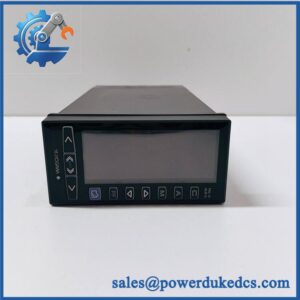
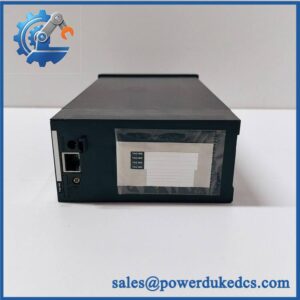
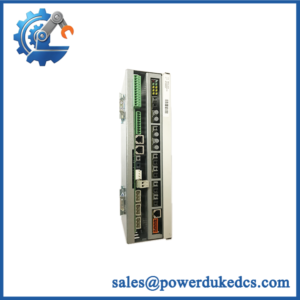
- Model & Brand: Yokogawa ALP-121, identified as a PROFIBUS-DP interface module. The complete Yokogawa order code and hardware suffix should be verified before procurement.
- Physical Dimensions: Not reliably established from the ALP-121 designation alone. Use the OEM mechanical drawing for exact W × H × D and mounting clearance.
- Estimated Shipping Weight: Allow approximately 0.5–1.0 kg packed for preliminary freight planning. Replace this estimate with the actual packed weight before issuing shipping documents.
- What’s in the Box: ALP-121 module, mounting hardware, and documentation only where confirmed by the supplier’s packing list. Do not assume PROFIBUS connectors, termination components, cables, or configuration software are included.
- Receiving inspection: Record the complete ALP-121 identification, Yokogawa part/order number, serial number, hardware revision, firmware revision, and PROFIBUS configuration information.
Product Introduction
The ALP-121 is associated with the PROFIBUS-DP communication layer of Yokogawa industrial automation equipment, providing a fieldbus interface between the Yokogawa control architecture and PROFIBUS-DP devices. Its role is fundamentally different from an analog I/O module: the critical installation parameters are bus topology, node addressing, communication settings, cable/shielding practice, and compatibility with the host Yokogawa platform.
Do not treat “PROFIBUS-DP ALP-121” as sufficient evidence of universal interchangeability. Yokogawa communication modules are often tied to particular system generations and host hardware. Before issuing a spare, verify the host controller/interface family, hardware revision, firmware compatibility, connector arrangement, and approved PROFIBUS configuration (especially where the module supports a safety- or production-critical fieldbus segment).
Core Technical Specifications
| Parameter | Value |
|---|---|
| Manufacturer | Yokogawa |
| Model | |
| Interface | PROFIBUS-DP |
| Product type | Industrial fieldbus interface module |
| PROFIBUS role | Verify exact configuration |
| PROFIBUS version/profile | Verify exact Yokogawa documentation |
| Transmission rate | Configuration-dependent; verify OEM documentation |
| Node address | Configuration-dependent |
| Physical interface | PROFIBUS-DP; connector/interface details require verification |
| Bus cable | PROFIBUS-compatible shielded twisted pair |
| Isolation | Verify exact hardware revision |
| Supply voltage | Verify exact host/module configuration |
| Power consumption | Verify exact technical documentation |
| Heat dissipation | Verify exact technical documentation |
| Mounting | Verify host-system mechanical arrangement |
| Dimensions | Verify OEM mechanical drawing |
| Weight | Verify OEM documentation |
| Operating temperature | Verify exact revision |
| Storage temperature | Verify exact revision |
| Certifications | Verify exact product documentation |
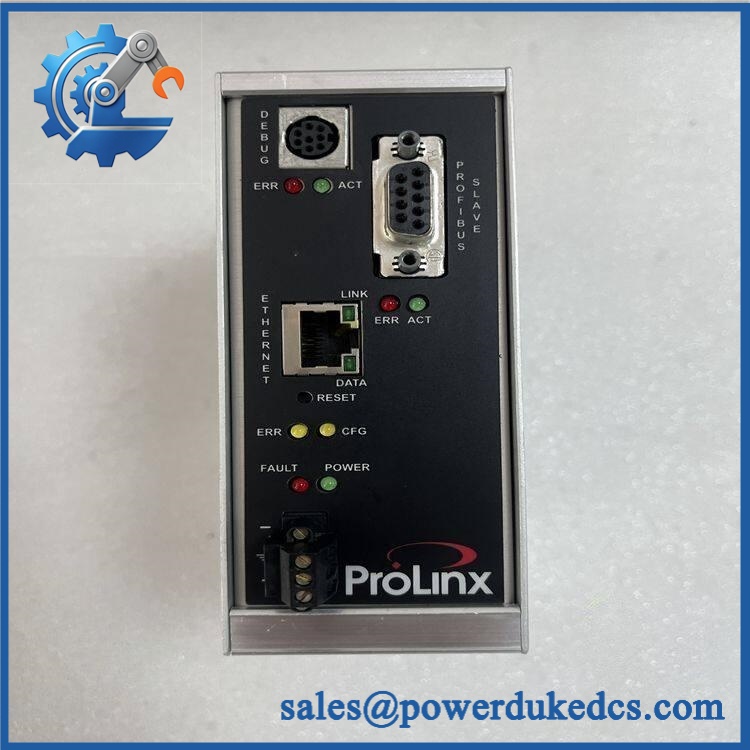
Yokogawa PROFIBUS-DP ALP-121
Do not invent a PROFIBUS baud rate, connector pinout, or electrical isolation specification for the without the exact Yokogawa technical document. These details affect commissioning and can create a communication failure or, worse, an incorrect fieldbus installation.
For inventory control, the host-system compatibility should be recorded alongside the part number. A fieldbus interface that is electrically similar but intended for another Yokogawa platform should not be issued as a drop-in replacement.
Global Compliance & Industry Certifications
- CE Mark: Verify the applicable Yokogawa Declaration of Conformity for the exact hardware revision.
- UL/cUL: Confirm product-specific North American certification before claiming Listed or Recognized status.
- PROFIBUS compliance: Confirm the applicable PROFIBUS certification/profile information from the manufacturer or current certification records. Protocol compatibility alone does not establish certification of the complete device.
- ATEX/IECEx: Do not assume hazardous-area approval. Verify the exact module and complete system certification if installed in a classified location.
- Marine approvals: DNV, ABS, LR, or equivalent approval must be established separately if required.
- EMC: Confirm applicable EMC requirements and the manufacturer’s grounding/shielding instructions.
For PROFIBUS-DP equipment, EMC compliance has practical importance because improper shield termination, grounding, cable routing, or termination can cause intermittent communication errors. Certification of the interface module does not eliminate the need to build the fieldbus segment according to the applicable installation rules.
Verify specific lot certifications with OEM.
Long-Term Storage & Asset Preservation Guide
- Keep the module in ESD shielding. Store the in its original antistatic packaging whenever possible. Protect the PROFIBUS connector and any edge/backplane contacts from dust, fingerprints, and oxidation.
- Control humidity and corrosive contamination. Use a dry, temperature-stable warehouse with no condensation. Keep the spare away from salt air, chlorine, sulfur compounds, solvent vapors, and wash-down areas (communication faults frequently begin at contaminated connectors rather than inside the processor electronics).
- Preserve network configuration data. Record the hardware revision, firmware version, serial number, and original PROFIBUS node/configuration information. Retain the applicable GSD file and approved network configuration with the asset documentation when available.
Do not repeatedly connect a stored communication module to a live PROFIBUS segment simply to verify operation. A controlled bench test with the correct host hardware is preferable.
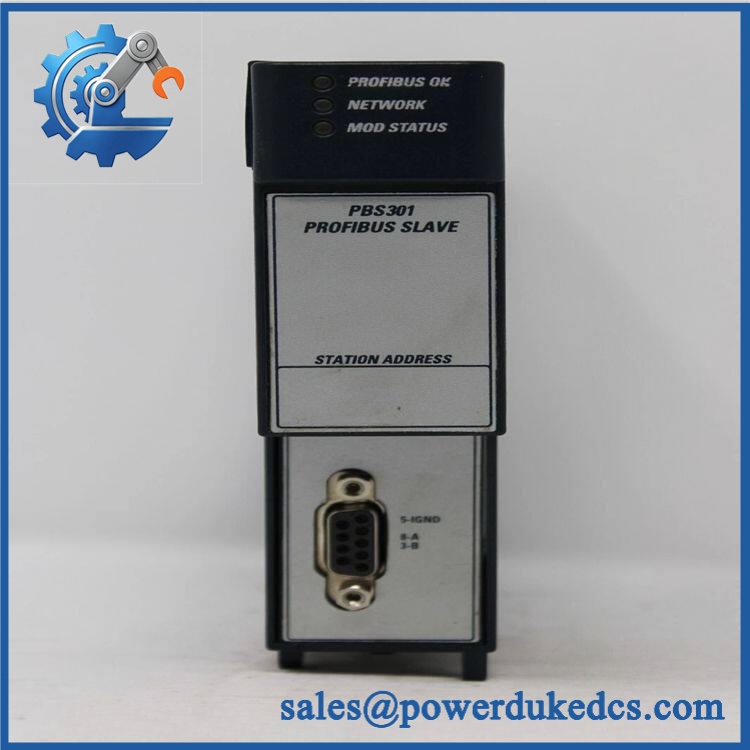
Yokogawa PROFIBUS-DP ALP-121
Physical Installation Prerequisites
- Host compatibility: Confirm that the is intended for the specific Yokogawa controller/system in which it will be installed.
- Mounting: Verify whether the module uses a backplane, rack, or dedicated mounting assembly; do not assume DIN-rail installation.
- Clearance: Maintain sufficient space for module insertion/removal, PROFIBUS connector access, cable bend radius, and cabinet cooling. Use the OEM drawing for final dimensions.
- Grounding: Follow Yokogawa’s protective and functional grounding requirements. PROFIBUS shield bonding must follow the approved network design.
- Cable routing: Keep PROFIBUS cable separated from VFD output cables, motor feeders, contactor wiring, and other high-noise circuits.
- Termination: Verify PROFIBUS segment termination at the correct physical endpoints. Do not add termination at an intermediate node.
- Node addressing: Confirm the approved station address before commissioning. Duplicate addresses can disrupt an entire segment.
- Commissioning: Verify the GSD/device configuration, communication rate, station address, diagnostic status, and master-to-slave data exchange before placing the process into service.
Buyer’s FAQ
Q: What HS tariff code should be used for Yokogawa ?
A: Do not classify the module solely from “PROFIBUS-DP” in the description. The correct HS/national tariff classification depends on the module’s technical function and the importing country’s tariff schedule. Provide the complete Yokogawa part number and technical description to the customs broker for a defensible classification.
Q: What Country of Origin should be declared?
A: Use the actual manufacturing Country of Origin (COO) supported by Yokogawa or supplier documentation. The country from which the distributor ships the module is not automatically its manufacturing origin.
Q: Should I insure the during international shipment?
A: Insurance is sensible when the module is difficult to replace or production downtime would be costly. Protect the connector, PCB assembly, and enclosure against ESD and impact, and photograph the serial number and packaging before carrier handoff.
Q: Does a new contain the latest firmware?
A: Do not assume it does. A factory-sealed legacy communication module may contain an earlier firmware revision. Verify the hardware and firmware revision against the installed Yokogawa system and approved PROFIBUS configuration before commissioning.
Asset-control note: The stock description should include Yokogawa + complete order/material number + hardware revision + firmware revision + compatible host platform. The generic phrase “PROFIBUS-DP module” is insufficient for controlled spare-parts issue.



 Start Chat


