

Description
Unboxing & Physical Snapshot
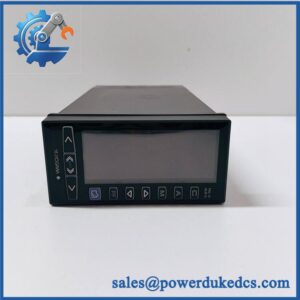
- Model & Brand: Yokogawa YS1700-100/A31, YS1000-series programmable indicating controller. The YS1700 is the 1/4-DIN-size controller/indicator in the family, with a 100 mm-class panel installation depth.
- Physical Dimensions: Approximately 96 × 96 × 65 mm (W × H × D) for the front instrument body; verify the current mechanical drawing before panel cutout fabrication.
- Estimated Shipping Weight: Approximately 0.8–1.2 kg packed for freight planning. Use actual carton weight for the commercial invoice.
- What’s in the Box: YS1700 controller, rear terminal hardware, mounting fixtures, and documentation when supplied as an OEM package. Do not assume communication cables, external I/O modules, or software are included.
- Receiving inspection: Record the complete YS1700-100/A31 code, serial number, hardware revision, firmware revision, input/output configuration, and nameplate power rating.
Product Introduction
The YS1700 is intended for panel-mounted process-control applications where indication, control computation, alarms, and analog/digital process signals are handled at the instrument level. Its 1/4-DIN front format allows installation in a conventional instrument panel while the rear terminal assembly provides the field connections (panel depth and rear wiring space must therefore be included in the cabinet design).
The /A31 suffix is part of the controlled ordering identity and should not be discarded from the warehouse description. Yokogawa offers multiple YS1700 configurations with different inputs, outputs, communications, and power arrangements. A replacement that matches only “YS1700” can therefore introduce an I/O or configuration mismatch even when the front bezel is physically identical.
Core Technical Specifications
| Parameter | Value |
|---|---|
| Manufacturer | Yokogawa |
| Product family | YS1000 |
| Model | |
| Full code | -100/A31 |
| Instrument type | Programmable indicating controller |
| Panel format | 1/4 DIN |
| Front dimensions | Approximately 96 × 96 mm |
| Display | Multi-line LCD / programmable indication |
| Control functions | PID and programmable control functions |
| Input configuration | Configuration-dependent |
| Analog outputs | Configuration-dependent |
| Digital I/O | Configuration-dependent |
| Communications | Configuration-dependent |
| Supply voltage | Verify exact nameplate/configuration |
| Power consumption | Verify exact configuration |
| Heat dissipation | Verify exact configuration |
| Memory | Verify firmware/hardware revision |
| Mounting | Panel mounting |
| Operating temperature | Verify exact revision |
| Storage temperature | Verify exact revision |
| Weight | Verify exact configuration |
| Certifications | Verify exact product documentation |
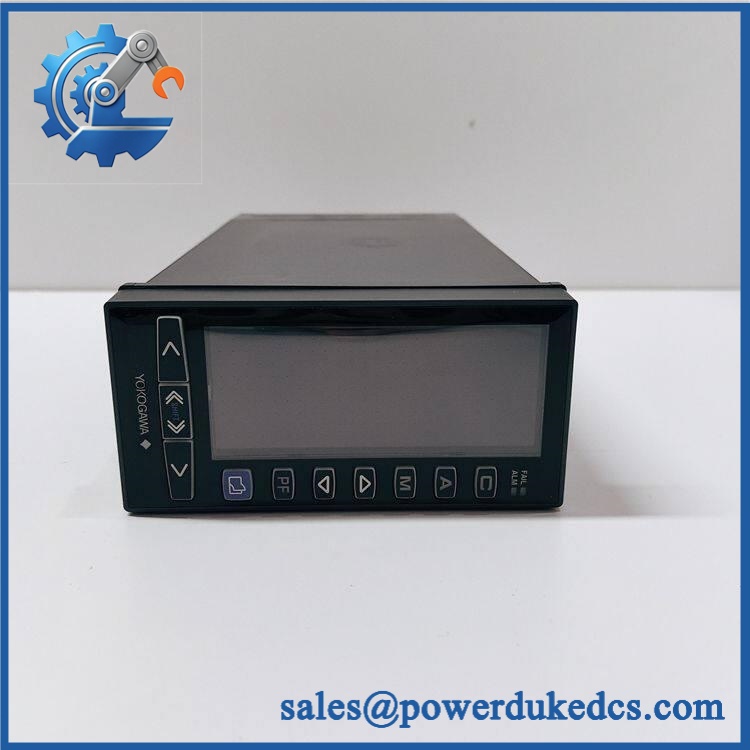
Yokogawa YS1700-100/A31
The family should not be assigned a generic power-consumption or I/O figure without checking the exact configuration code. Yokogawa’s YS1000 family includes multiple hardware arrangements, and the /A31 designation needs to be reconciled against the manufacturer’s current configuration documentation.
For warehouse control, capture the complete model code and nameplate data. Those fields provide substantially better interchangeability control than the generic family designation.
Global Compliance & Industry Certifications
- CE Mark: Verify the applicable Yokogawa Declaration of Conformity for the exact configuration.
- UL/cUL: Confirm product-specific North American certification before installation where the project requires it.
- ATEX/IECEx: Do not assume hazardous-area certification. Verify the exact model, certificate, protection concept, and installation restrictions if the controller is destined for a classified area.
- Marine approvals: DNV, ABS, LR, or other marine approvals require separate confirmation against the exact configuration.
- EMC: Verify the applicable Yokogawa EMC compliance documentation and wiring/grounding requirements.
A process controller’s CE or EMC status does not certify the entire control panel. Cabinet construction, power supplies, field wiring, protective devices, and installed equipment remain subject to the applicable project and regulatory requirements.
Verify specific lot certifications with OEM.
Long-Term Storage & Asset Preservation Guide
- Keep the controller in its original protective packaging. The LCD, keypad, PCB assemblies, and rear terminals should remain protected from dust, impact, and electrostatic discharge. Do not stack heavy instrumentation on the front bezel.
- Control humidity and corrosive exposure. Store indoors under stable, non-condensing conditions. Keep the controller away from chlorine, sulfur compounds, solvent vapors, salt spray, and chemical-storage areas (connector corrosion can cause intermittent signal faults after installation).
- Preserve firmware and configuration information. Record the complete model code, serial number, hardware revision, firmware revision, and configuration parameters before long-term storage. If the controller is removed from an operating plant, retain the last approved parameter backup with the physical asset.
Avoid unnecessary power cycling of a stored controller. Functional testing should use the site’s approved instrument-test procedure and simulated process signals rather than connecting an unverified spare directly to a live control loop.
Physical Installation Prerequisites
- Panel mounting: The uses a panel-mounted instrument format. Verify the exact panel cutout and rear clearance from the Yokogawa installation drawing before fabrication.
- Clearance: Provide sufficient rear depth for terminals, wiring bend radius, and service access. Do not install wiring so tightly that terminal removal requires disturbing adjacent circuits.
- Thermal management: Avoid locating the controller immediately above high-temperature power equipment. Maintain cabinet airflow around the instrument.
- Grounding: Provide the required protective/functional grounding according to Yokogawa’s installation documentation and verify PE continuity before energization.
- Signal separation: Route low-level analog signals separately from VFD, motor, contactor, and heater wiring.
- Input verification: Confirm the configured input type, signal range, sensor characteristics, and scaling before connecting field signals.
- Output verification: Confirm each analog/digital output assignment against the approved loop drawing before wiring the replacement.
- Commissioning: Compare the controller configuration with the approved parameter backup, verify alarms and interlocks, then conduct a controlled loop test before returning the process to automatic control.
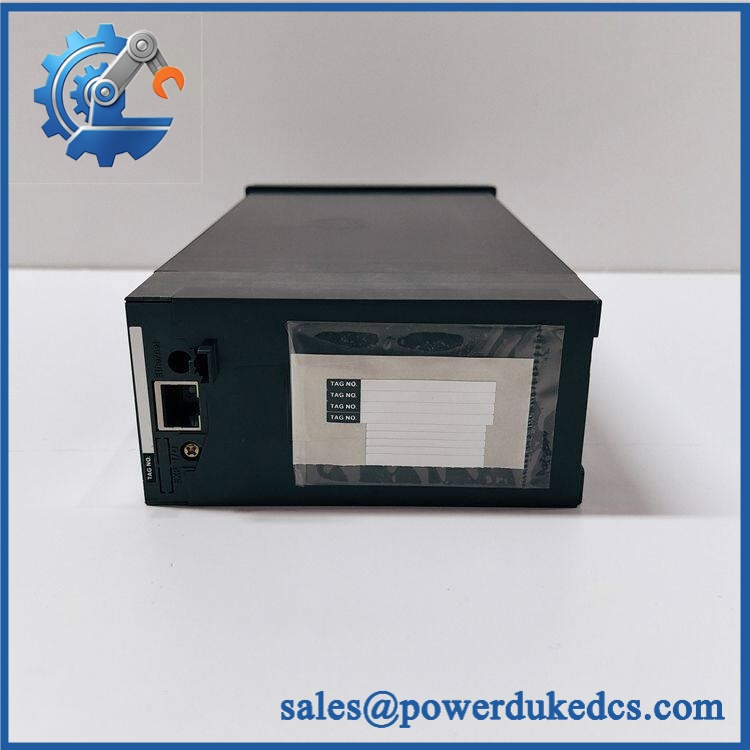
Yokogawa YS1700-100/A31
Buyer’s FAQ
Q: What HS tariff code should be used for Yokogawa -100/A31?
A: Do not rely on the model number alone to select the tariff classification. The correct HS/national tariff code depends on the controller’s technical function and the importing country’s tariff schedule. Provide the complete technical description and model code to the customs broker for classification.
Q: What Country of Origin should be shown on the commercial invoice?
A: Declare the actual manufacturing Country of Origin (COO) supported by Yokogawa or supplier documentation. The seller’s warehouse or shipment origin is not automatically the product origin.
Q: Should shipping insurance be purchased?
A: It is prudent for international shipments where replacement value or production impact is significant. Protect the front LCD/bezel and rear terminal assembly with suitable cushioning, and photograph the nameplate and packaging before carrier handoff.
Q: Does a new -100/A31 contain the latest firmware?
A: Do not assume it does. A factory-sealed legacy controller may have been manufactured substantially earlier than the installation date. Record the firmware revision and compare the controller’s parameter/configuration baseline with the site’s approved version before commissioning.
Asset-control note: Maintain YS1700-100/A31 as the complete stock identity. Do not replace it with a generic based only on front-panel appearance; verify the complete suffix, hardware revision, I/O arrangement, firmware, and approved control configuration before release to maintenance.



 Start Chat


