

Description
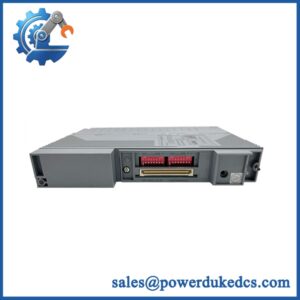
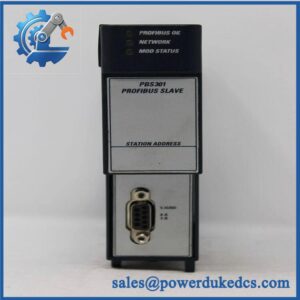
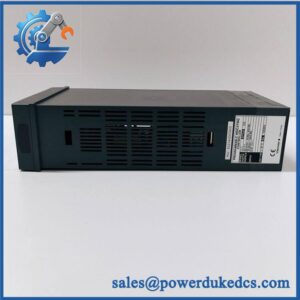
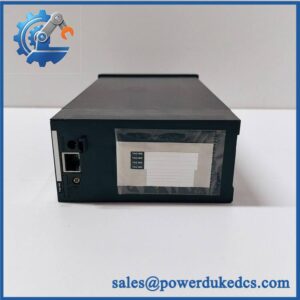
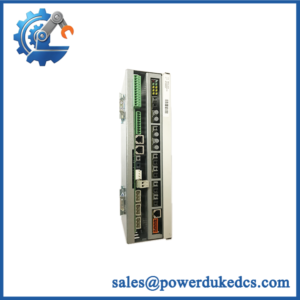
Unboxing & Physical Snapshot
- Manufacturer: Yokogawa Electric Corporation
- Model: YS1700-000-A34
- Product type: YS1000 Series programmable indicating controller.
- Configuration: YS1700, 2-loop controller, with the A34 option configuration.
- Approximate dimensions: Approximately 144 × 144 × 183 mm (W × H × D); confirm the exact mechanical drawing for cabinet fabrication.
- Estimated unit weight: Approximately 1.8–2.0 kg; use the measured packed weight for freight calculations.
- Estimated shipping weight: Approximately 2.5–3.2 kg with ESD protection, mounting hardware, documentation, and carton.
- What’s in the box: YS1700 controller, panel-mounting hardware, terminal hardware, and manuals/accessories only when listed on the purchase order.
- Front construction: Panel-mounted industrial controller with a front display/operator interface.
- Asset identification: Record the complete YS1700-000-A34 code, serial number, hardware revision, firmware revision, and calibration/configuration status.
Product Introduction
The YS1700 is physically installed as a panel-mounted controller within the instrument/control cabinet, occupying a standard rectangular panel opening rather than a rack slot or DIN-rail position. Its front operator interface provides local indication and control while the rear terminals connect process signals, control outputs, and power (the panel gasket and mounting hardware are therefore part of the physical installation envelope).
The YS1700-000-A34 configuration should be treated as a complete catalog identity. Do not replace it solely with another because option codes can affect communications, I/O, and functional configuration. For a controlled spare, preserve the complete suffix and compare the replacement against the site’s existing control strategy before installation.
Core Technical Specifications
| Parameter | Value |
|---|---|
| Manufacturer | Yokogawa Electric Corporation |
| Series | YS1000 |
| Model | |
| Complete Part Number | -000-A34 |
| Product Type | Programmable Indicating Controller |
| Control Loops | 2 |
| Control Function | Programmable process control |
| Display | Color LCD |
| Display Size | Approximately 5.7 in |
| Input Type | Universal process inputs, configuration dependent |
| Analog Input Resolution | Up to 16-bit class, configuration dependent |
| Control Outputs | Analog/digital outputs according to configuration |
| Program Capacity | Configuration dependent |
| Internal Memory | Configuration-dependent; verify firmware/manual revision |
| Power Supply | 100–240 VAC class supply, configuration dependent |
| Power Consumption | Approximately 25 VA class |
| Panel Mounting | Flush mounting |
| Communication | Optional/variant-dependent serial/Ethernet functions |
| Operating Temperature | Approximately 0–50°C |
| Relative Humidity | Approximately 20–80% RH, non-condensing |
| Front Protection | IP55-class front-panel protection when correctly mounted |
| Approximate Dimensions | 144 × 144 × 183 mm |
| Approximate Weight | 1.8–2.0 kg |
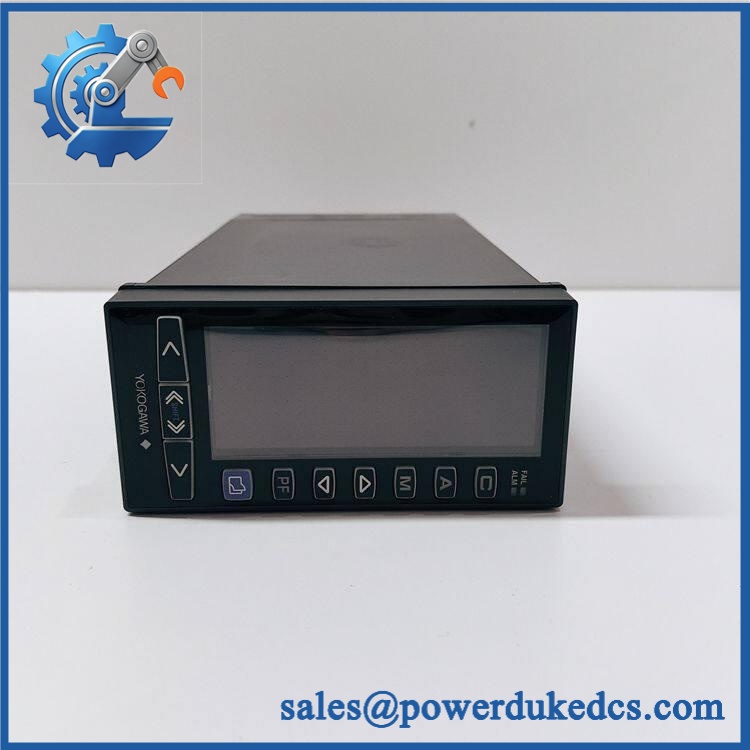
Yokogawa YS1700-000-A34
The YS1000 family is designed for continuous process control rather than general-purpose PLC sequencing. The exact I/O and communication capabilities must be checked against the A34 configuration and the hardware nameplate before procurement.
Do not infer the installed memory or communication option from the base model alone. Legacy Yokogawa controllers can have hardware-dependent option codes that materially affect interchangeability.
? Global Compliance & Industry Certifications
The is industrial process-control equipment, but compliance claims should be tied to the exact hardware revision.
- CE Mark: Verify the applicable Yokogawa Declaration of Conformity for the revision.
- UL/cUL: Confirm product-specific North American certification before entering the approval into the asset database.
- EMC: Final compliance depends on cabinet grounding, signal wiring, shielding, and the installation environment.
- ATEX/IECEx: Do not assume hazardous-area certification. The standard should not be installed directly in a classified area without applicable product and system certification.
- Marine approvals: DNV GL or other marine approvals should only be recorded when supported by a certificate covering the exact configuration.
- RoHS: Verify the applicable environmental compliance documentation for the supplied manufacturing revision.
For plant safety, the distinction between ordinary industrial certification and hazardous-location approval is critical. A controller can satisfy EMC and electrical requirements while remaining unsuitable for installation inside a classified atmosphere.
Verify specific lot certifications with OEM.
? Long-Term Storage & Asset Preservation Guide
Keep the in its original ESD-protective packaging. Protect the rear terminal assembly and front display from dust, moisture, and impact; the LCD and panel gasket are particularly undesirable damage points on a long-stored spare.
Control humidity. For multi-year inventory, maintain warehouse RH below 60% where practical, with no condensation or repeated hot/cold cycling. Avoid storing the controller near chemical vapors, salt-laden air, or equipment producing conductive dust.
Preserve configuration data. Retain the original parameter backup, program configuration, firmware revision, serial number, and option code with the physical controller. If a battery-backed memory function is present in the specific revision, verify battery condition before installation rather than assuming a shelf-stored unit retains its configuration indefinitely.
Before deployment, inspect the LCD surface, panel gasket, mounting hardware, rear terminals, connector pins, and enclosure for corrosion or mechanical deformation.
Physical Installation Prerequisites
- Install the as a flush panel-mounted controller using the specified mounting hardware.
- Verify the panel cutout against the current Yokogawa mechanical drawing before machining.
- Provide adequate rear clearance for terminal wiring and connector access.
- Maintain airflow around the rear enclosure; do not pack heat-producing equipment tightly against the controller.
- As a preliminary cabinet allowance, maintain approximately 50 mm around ventilation paths, unless the Yokogawa installation drawing specifies a different value.
- Connect protective earth according to the Yokogawa wiring instructions.
- Keep low-level process signals separated from VFD output cables, contactors, and other high-current conductors.
- Use shielded instrumentation wiring where required by the signal type and installation environment.
- Verify the controller’s supply voltage against the physical nameplate before energization.
- Confirm all input/output terminal assignments against the stored configuration before reconnecting field wiring.
- Check the complete option code against the existing controller before commissioning.
- After installation, verify display operation, input scaling, alarm behavior, output action, control-loop parameters, and communications before returning the process loop to automatic control.
Buyer’s FAQ
What HS tariff code should be used for the ?
Do not classify the unit simply as an electronic component. The is a programmable indicating/process controller, and the correct HS classification depends on its principal function and the importing country’s tariff schedule. Obtain broker confirmation before finalizing the commercial invoice.
Does Country of Origin affect this spare?
Yes. The Country of Origin (COO) should be supported by the actual product documentation or manufacturer traceability records. Do not use the seller’s shipping location as the COO, and retain the supporting evidence for customs audits.
Should the shipment be insured?
For a legacy process controller, insurance is recommended when replacement cost or process downtime exposure is significant. Protect the LCD and panel face with non-abrasive cushioning, place the controller in ESD packaging, and photograph the nameplate and enclosure before shipment.
Does -000-A34 contain the latest firmware?
Do not assume it does. The physical catalog number identifies the hardware configuration, while the actual firmware revision must be verified from the unit. For an operational spare, record the firmware version, option configuration, parameter set, and serial number before installation; matching the firmware environment can be essential when replacing a controller in an established process loop.



 Start Chat


